Safety configuration file
MiR600/MiR1350 Base Robot is set up with the following safety configuration:
- SICK configuration file : MiR600_SICK_V6.07.spd2 / MiR1350_SICK_V6.07.spd2
- Minimum supported software version : 3.5.0
Each configuration in the safety configuration file generates a checksum. The checksum will change if any modifications are made to the configuration.
The configuration file on your robot has the following checksums.
| Component | Checksum (MiR600 / MiR1350) |
|---|---|
| Safety PLC | 0x525C8B6D / 0x06913DC7 |
| Rear scanner function and network | 0x0B40FDCA / 0xD5D3523B |
| Rear scanner function | 0x12B33254 / 0xCFF7ECCE |
| Front scanner function and network | 0x82626DD5 / 0xA59134A7 |
| Front scanner function | 0xE0F4A187 / 0x215A2714 |
Checking the checksum
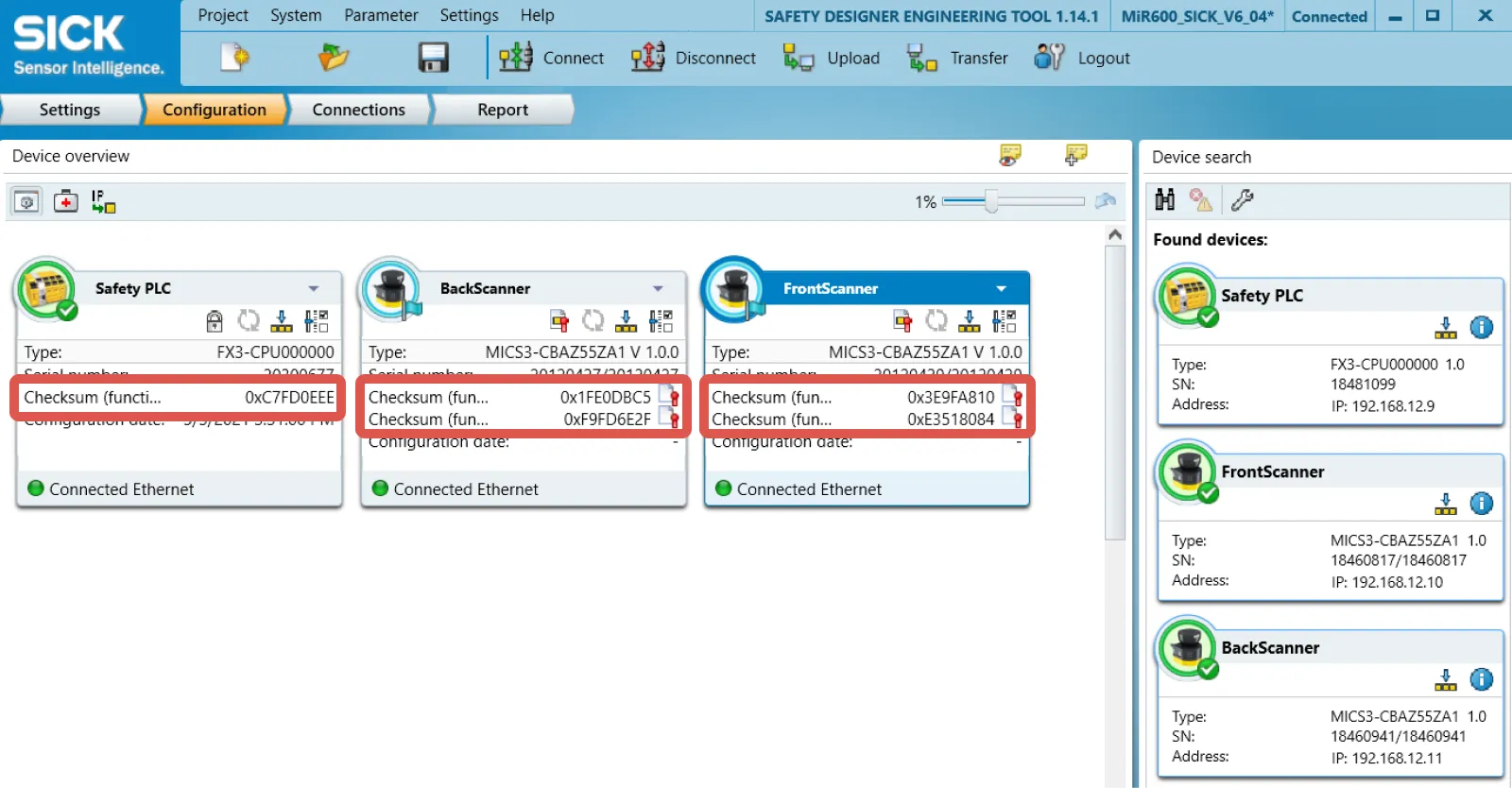
If you want to verify that the safety configuration file has not been modified, you can compare the current checksums. You will need to install the latest version of SICK's Safety Designer software to see the checksums.
To find the current checksums, follow these steps:
Connect to your robot's network as described in Connect to the web-interface.
Open SICK Safety Designer.
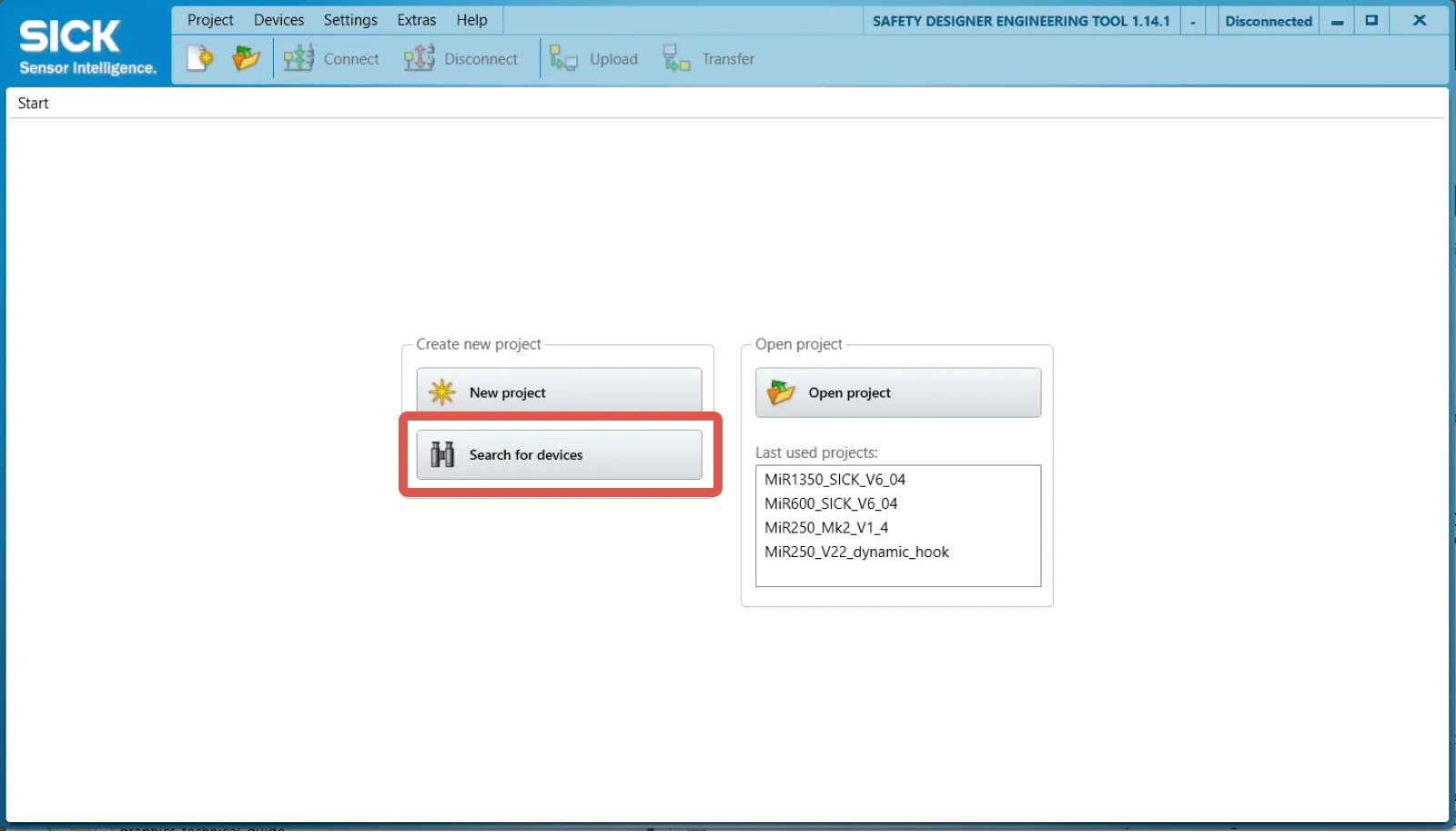
Select Search for devices.
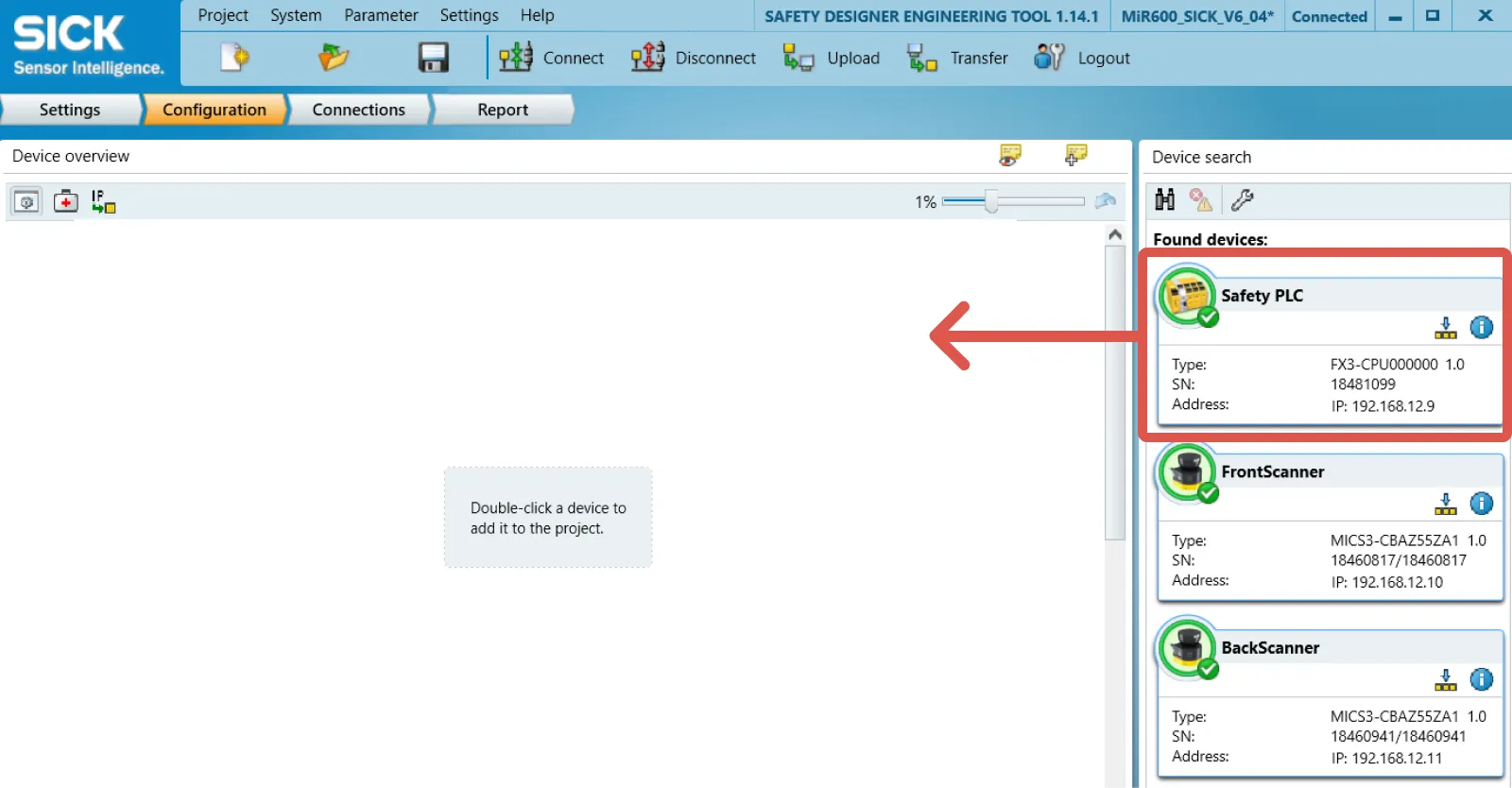
Drag all devices from the Device search window to the corresponding device in the Device overview window.
When you are prompted to upload to the safety PLC, select No.
You can now read the current checksum values for each device configuration. If the values differ from the ones in Table 7.1, the safety configuration file has been modified from the original.