
Obstacle detection
The robot detects obstacles continuously while driving. This enables the robot to drive around obstacles and to determine the robot's current position on the map.
The following sensors are responsible for detecting obstacles:
- The safety laser scanners
- The 3D cameras
- The proximity sensors

INFO
For more information about the sensors and obstacles detection, see [deckload_robot_technical_guide].
Safety laser scanners
The safety laser scanners provide a full 360° obstacle detection plane around the robot. The scanners are positioned 200 mm from the ground.
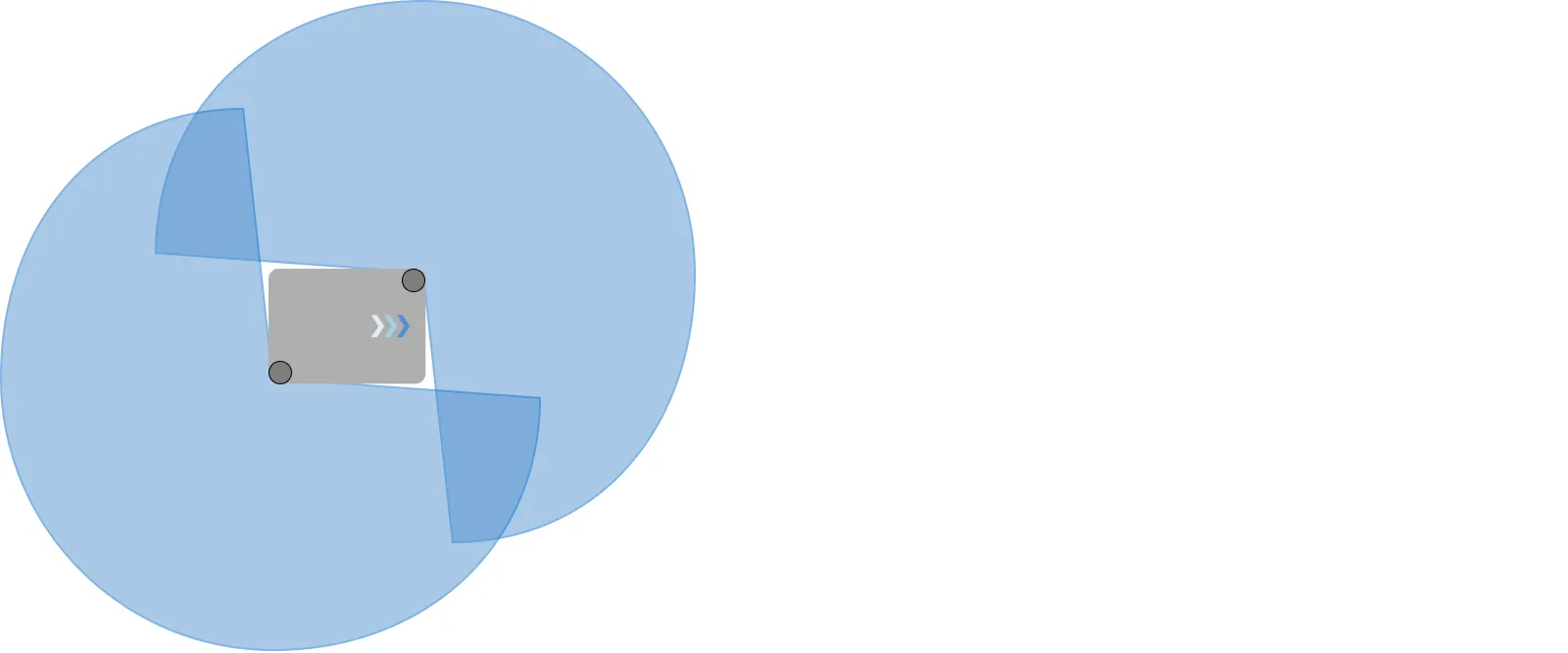
The scanners have the following limitations:
- They can only detect objects that intersect a plane at the scanner plane heights.
- They do not detect transparent obstacles well.
- The scanner data can be inaccurate when detecting reflective obstacles.
- The scanners may detect phantom obstacles if they are exposed to strong direct light.
The scanners are also used in the robot's safety system—see Field switching and Personnel detection.

WARNING
The robot cannot reliably detect:
- Floor voids, such as descending staircases, loading docks, or open pits.
- Walls or obstacles made of glass or reflective material.
- Overhangs that are above the laser scanner height.
- Pallets or other obstacles that are below the laser scanner height.
If a robot drives over an edge or into a obstacle, the loss of stability can cause serious injury to personnel and damage to the robot and to equipment. In areas with any obstacles the robot cannot reliably detect:
- Install physical barriers to prevent the robot from accessing the area. For example, bollards are typically used at staircases.
- Install obstacles around the area that can be detected by the safety system.
- Do not rely on Forbidden zones to reduce these risks. Forbidden zones are not safety-rated. They must not be relied upon for the purposes of safety. Localization errors or mechanical failures, such as blocked wheels or components that create motion drag, can result in the robot driving into a Forbidden zone.
3D cameras
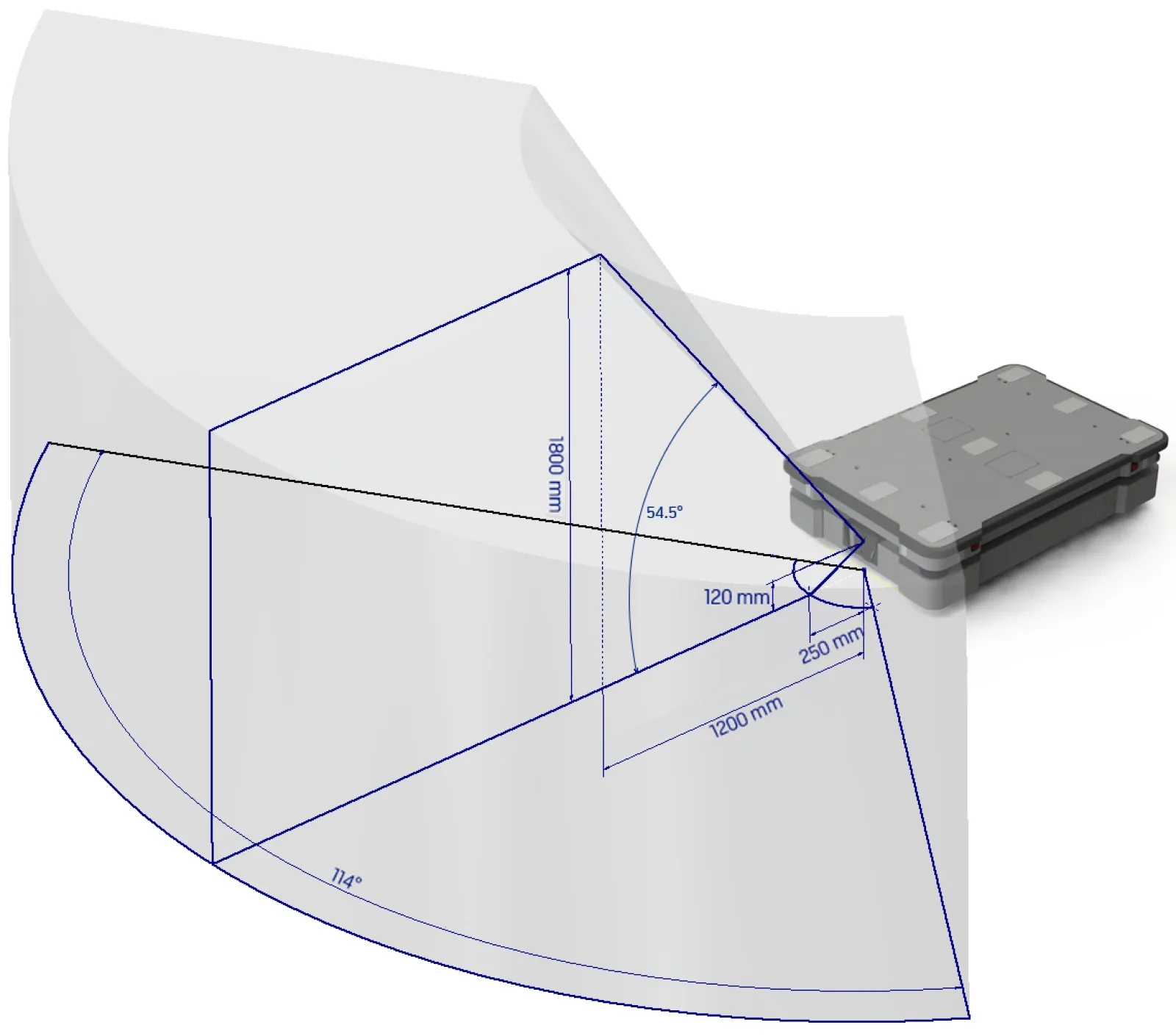
The 3D cameras detect objects within the following field of view in front of the robot:
- Vertically up to 1800 mm at a distance of 1200 mm in front of the robot.
- Vertically in an angle of 54.5° from the ground.
- Horizontally in an angle of 114° and 250 mm to the first view of ground.
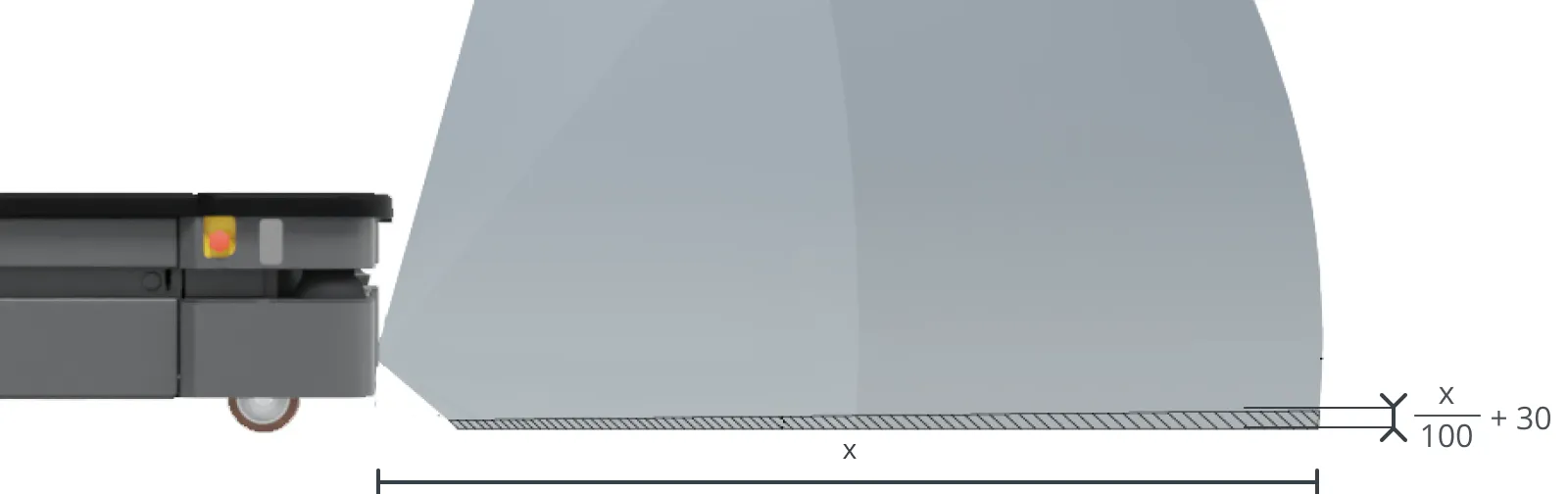
From the floor plane, the robot does not detect objects below 30 mm from the ground. This value increases by 10 mm per meter from the robot.

CAUTION
The robot may collide with and cause injury to personnel if you rely on the 3D cameras alone to detect personnel.
Do not modify the safety laser scanner settings with the expectation that the 3D cameras will prevent collision with personnel.
Do not include the 3D cameras as a safety-related risk reduction means in your risk assessment of the robot.
The 3D cameras have the following limitations:
- They can only detect objects in front of the robot, unlike the full 360° view of the laser scanners.
- They do not detect thin objects like pallet forks or shelves reliably.
- They do not detect transparent or reflective obstacles well.
- They do not detect holes or descending stairways.
- They are not reliable at determining depth when viewing structures with repetitive patterns.
- They may detect phantom obstacles if they are exposed to strong direct light.
Proximity sensors
The proximity sensors detect low objects around the corners of the robot outside the field of view of the safety scanners and 3D cameras.
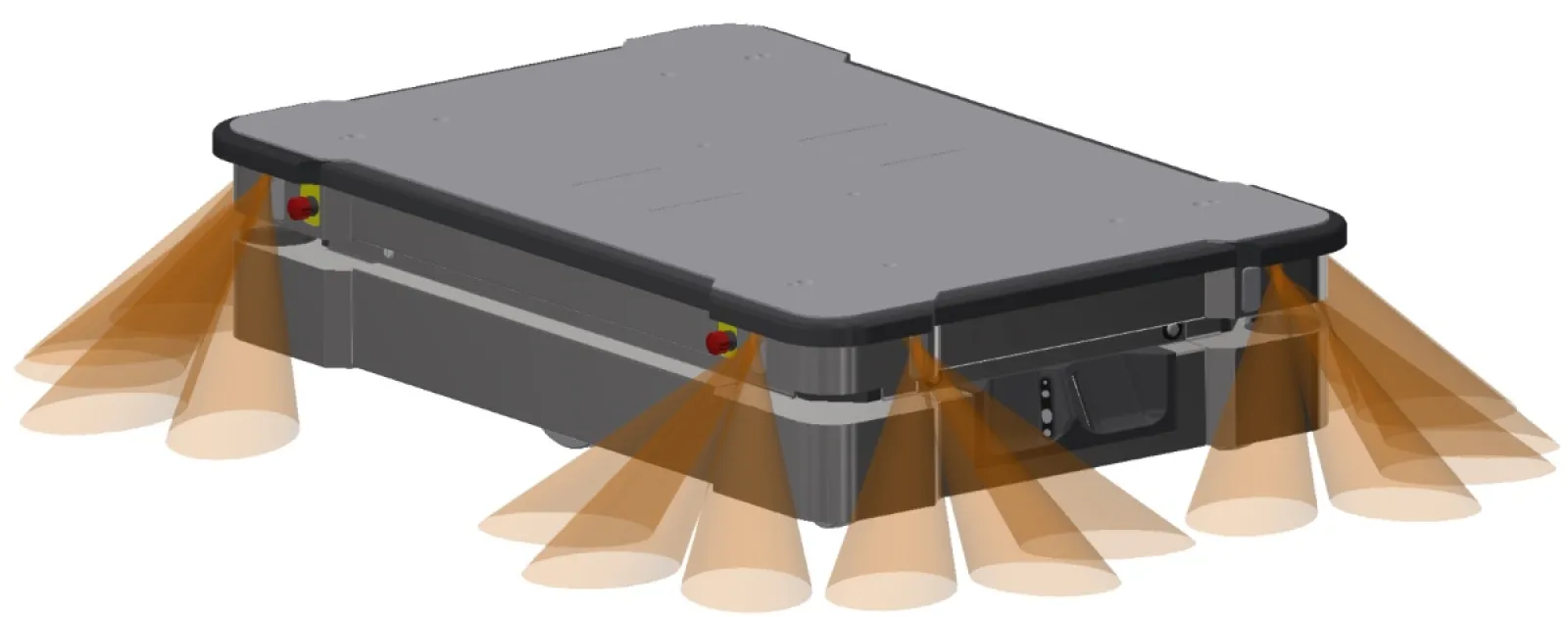
The main purpose of the proximity sensors is to detect low objects, such as pallets and forklift forks, placed close to the robot while it is standing still. When the robot begins to drive, it plans a path around the nearby detected obstacles.
INFO
The proximity sensors are disabled by default. To make the robot use the proximity sensor data, you must enable the sensors and calibrate them. For more information, see the guide How to calibrate the proximity sensors.
The proximity sensors have the following limitations:
They do not have a long range and are mainly used to detect obstacles placed near the robot while it is standing still and begins driving.
They only detect low obstacles around the corners of the robot.
When the robot is driving, obstacles detected by the proximity sensors are too close for the robot to stop or avoid. The robot relies on the laser scanners and 3D cameras to detect obstacles while it is driving.
The effectiveness of the proximity sensors may be influenced by the shape, material, reflectivity, and color of obstacles.