
Internal parts
The robot's internal parts are accessed by removing covers. To see which compartments hold which parts, see Internal parts. To see how to remove covers, see Accessing the internal parts

WARNING
Removing covers exposes parts connected to the power supply. If the parts are powered, this can result in a short circuit that will damage the robot and could injure personnel. Some internal parts can also heat up over time and cause burns if touched.
- Before removing any covers, turn off the robot.
- Start by accessing the compartment with the main battery connector and disconnect the robot from power—see Power connection.
- Do not touch any internal components of the robot while it is powered.
- Make sure the internal parts have cooled before touching them.
Electronics drawer
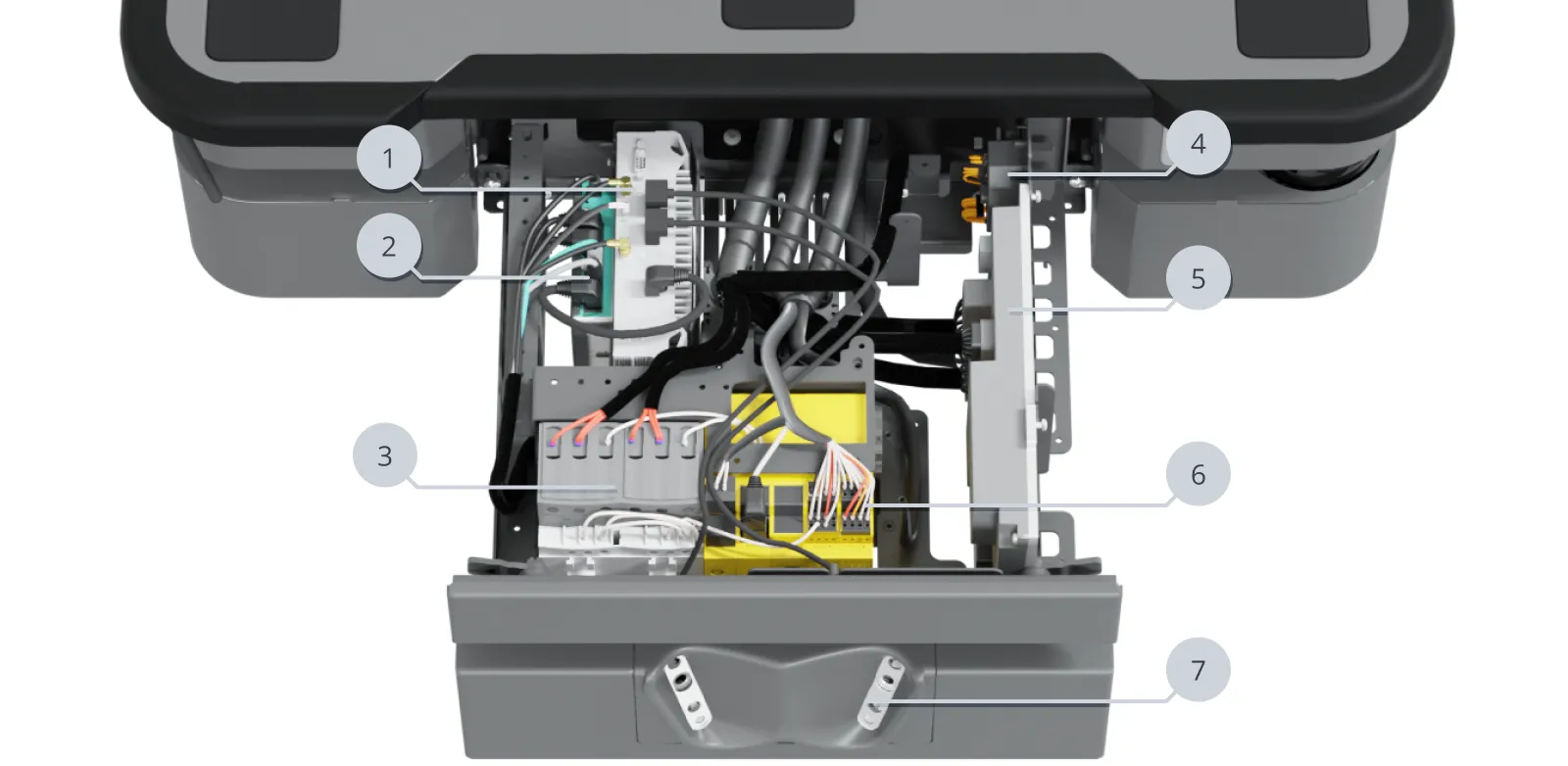
| Pos. | Description | Pos. | Description |
|---|---|---|---|
| 1 | Robot computer | 2 | Ethernet switch |
| 3 | Safe Torque Off contactors | 4 | GPIO module |
| 5 | Power board | 6 | Safety PLC |
| 7 | 3D cameras |
Rear compartment
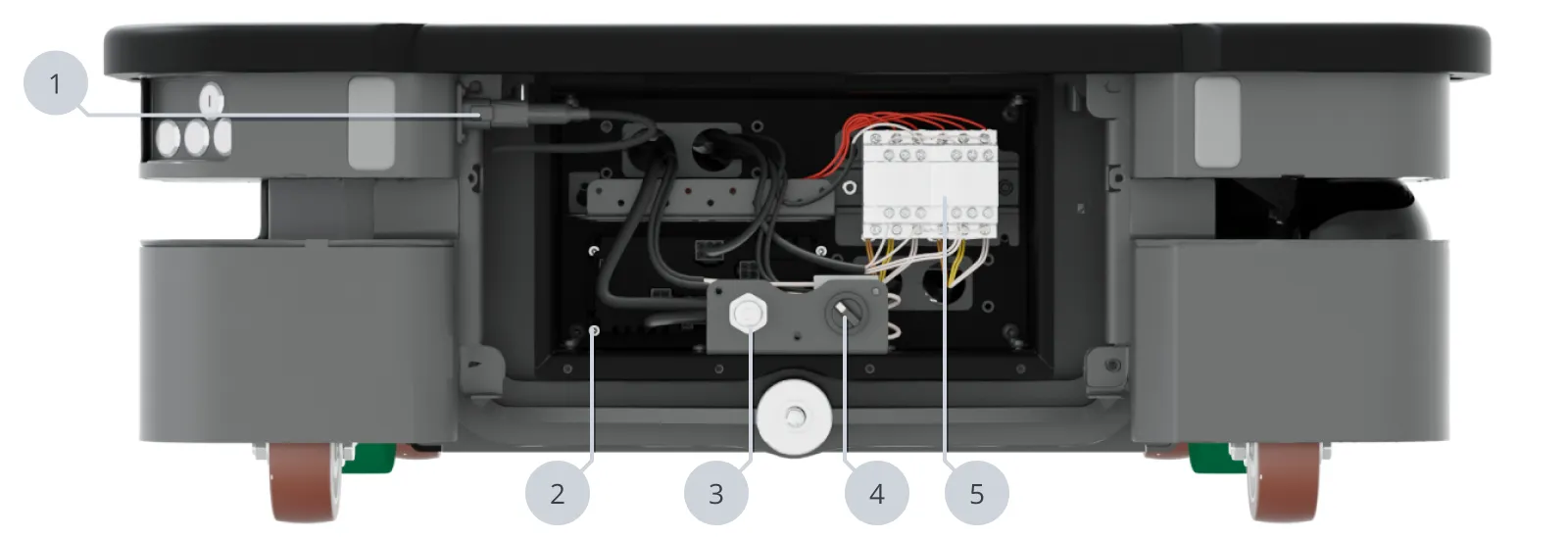
| Pos. | Description | Pos. | Description |
|---|---|---|---|
| 1 | Connector for the status light band | 2 | Motor controller carrier board |
| 3 | Connection interface for MiR Controller | 4 | Manual brake release switch |
| 5 | Dynamic brake contactors |
Side compartments
The unique nameplate of your robot is on the right side compartment cover. Do not swap the cover with covers from other robots.
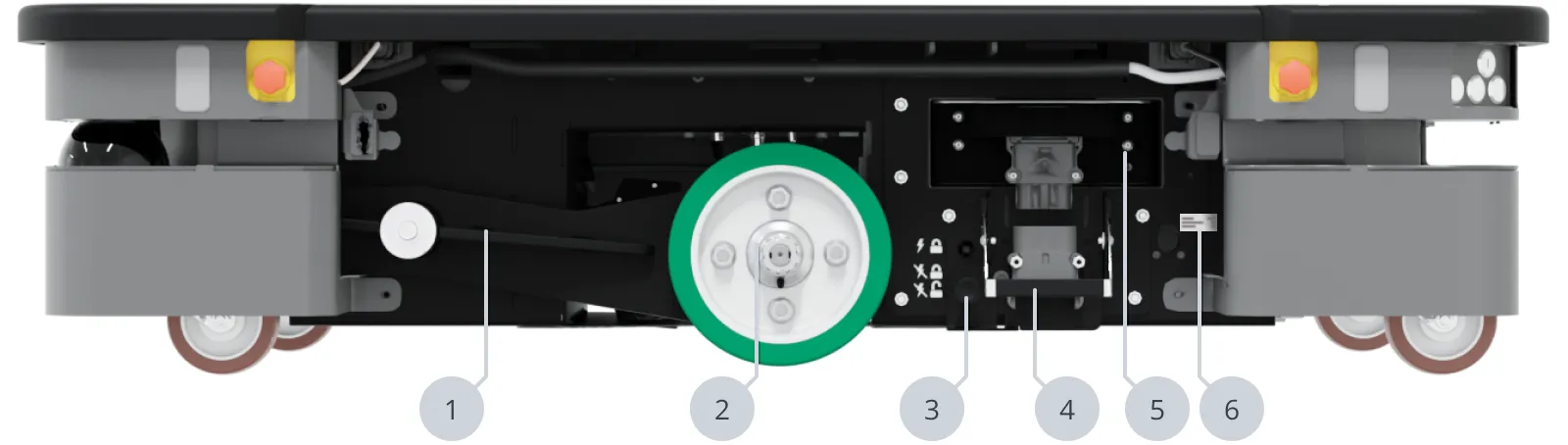
| Pos. | Description | Pos. | Description |
|---|---|---|---|
| 1 | Bogie | 2 | Drive wheel |
| 3 | Battery lock pin (only in left compartment) | 4 | Battery connection assembly (only in left compartment) |
| 5 | Battery (only in left side compartment) | 6 | Identification label |
Top compartments
For more information on electrical interfaces, see Electrical interfaces.
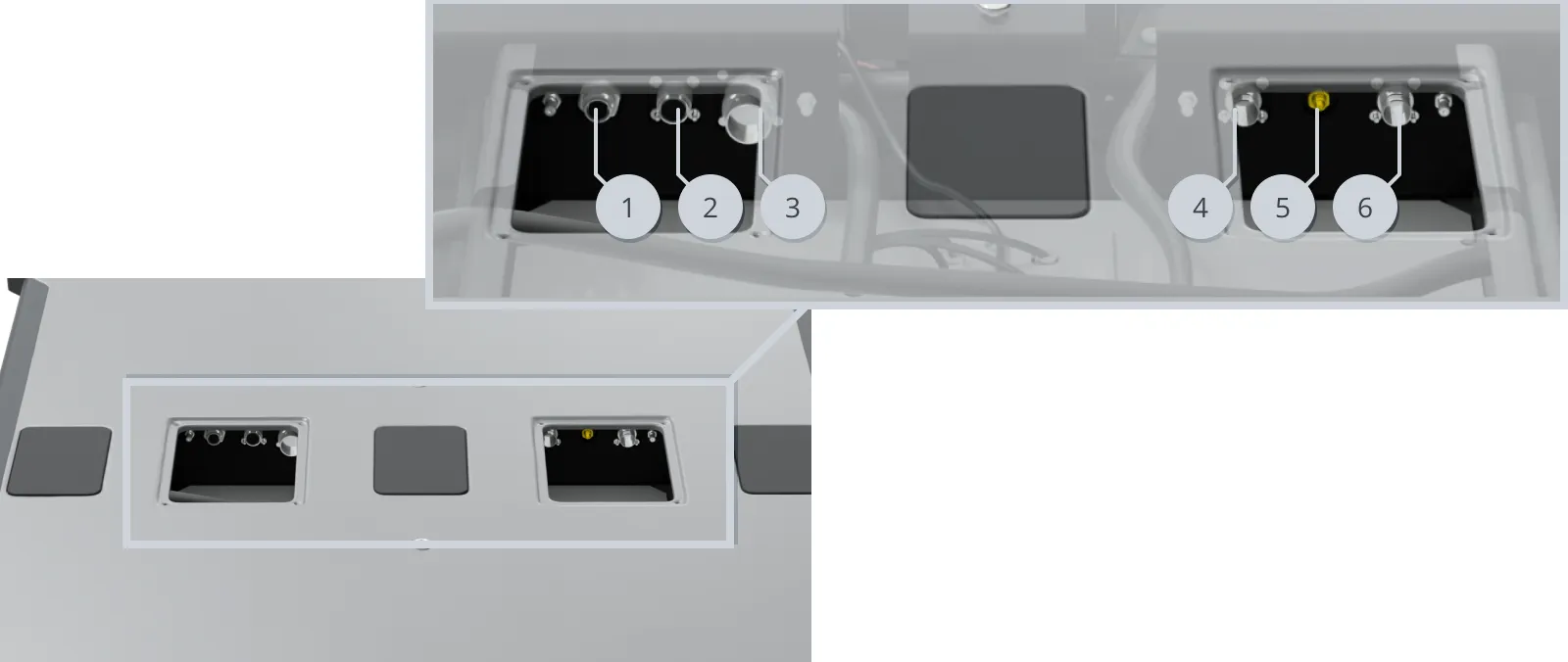
| Pos. | Description | Pos. | Description |
|---|---|---|---|
| 1 | Ethernet | 2 | General purpose I/O |
| 3 | Power | 4 | Auxiliary safety functions |
| 5 | Wi‑Fi antenna | 6 | Auxiliary emergency stop with dummy plug |