Accessing the internal parts
The robot's internal parts are accessed by removing covers. To see which compartments hold which parts, see Internal parts. To see how to remove covers, see Accessing the internal parts

WARNING
Removing covers exposes parts connected to the power supply. If the parts are powered, this can result in a short circuit that will damage the robot and could injure personnel. Some internal parts can also heat up over time and cause burns if touched.
- Before removing any covers, turn off the robot.
- Start by accessing the compartment with the main battery connector and disconnect the robot from power—see Power connection.
- Do not touch any internal components of the robot while it is powered.
- Make sure the internal parts have cooled before touching them.
Opening the electronics drawer
Turn the two screws on the electronics drawer 90˚. Use a flat-head screwdriver.

Pull out the electronics drawer.

Accessing the rear maintenance compartment
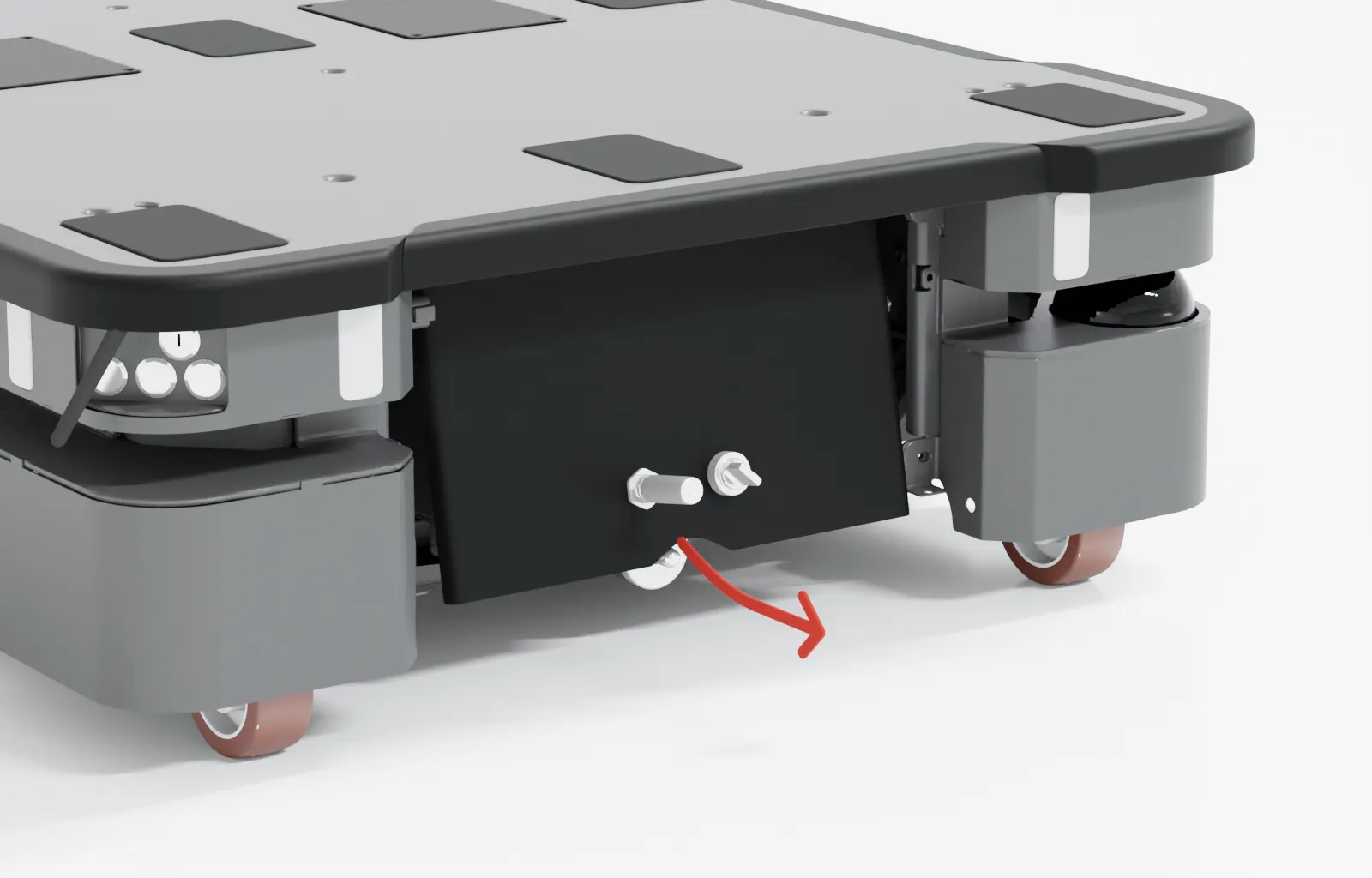
Press the two buttons on the rear cover.
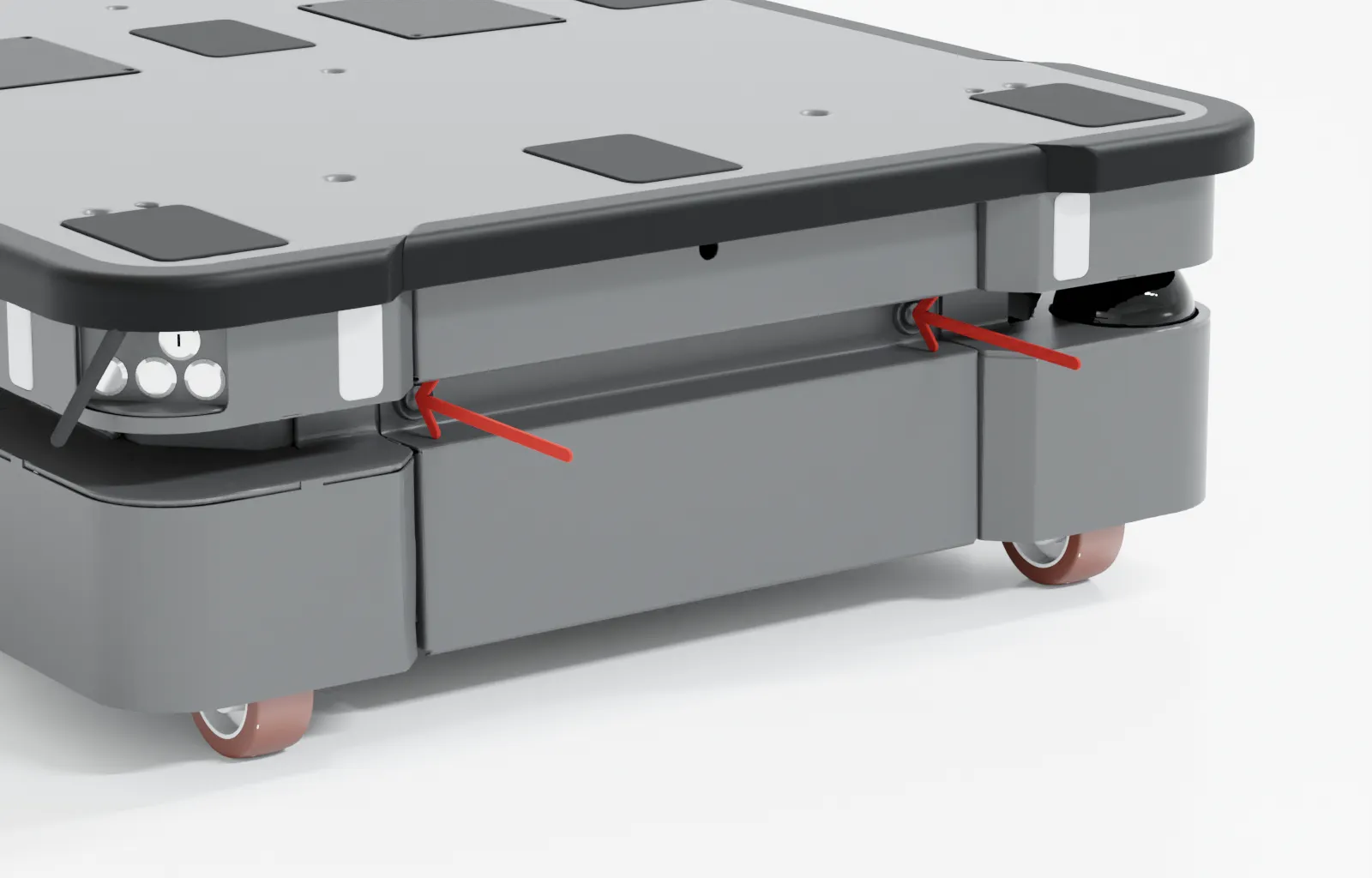
Pull open the cover.
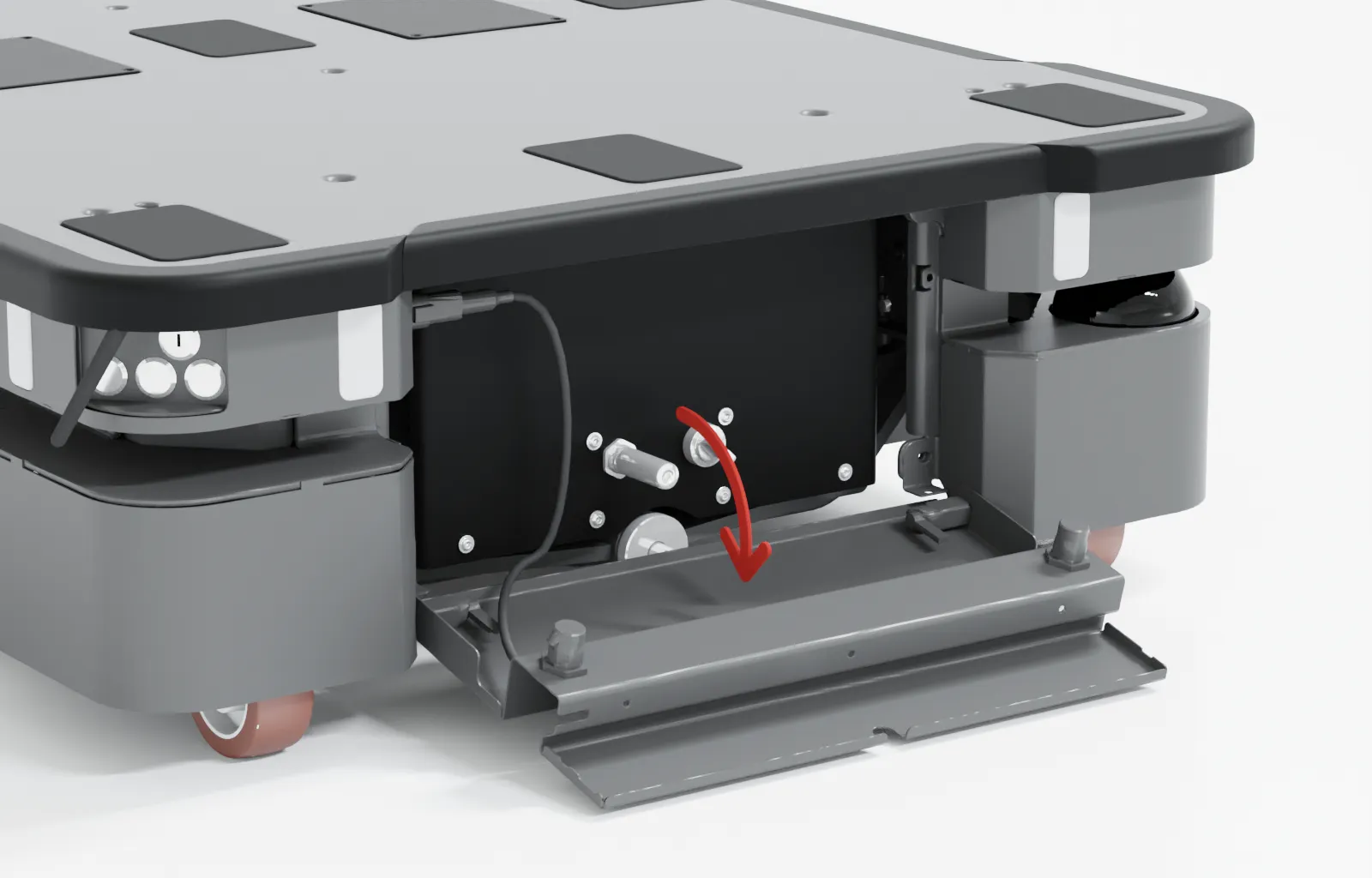
You can now access the Manual brake release switch and MiR Controller interface.
To access the motor controller carrier board and dynamic brake contactors, you must remove the internal rear compartment cover.
To remove the internal cover, follow these steps:
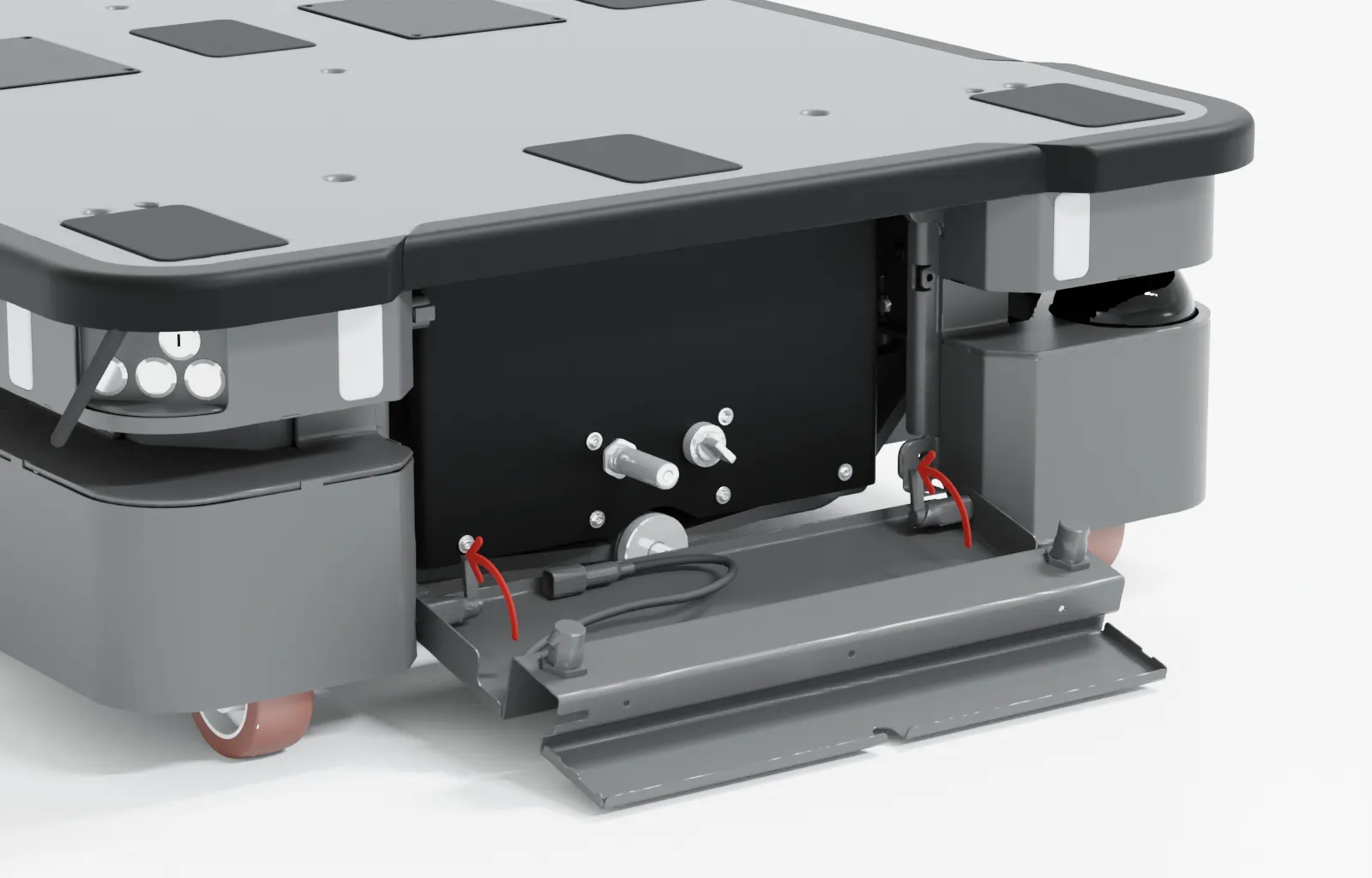
Disconnect the status light cable.
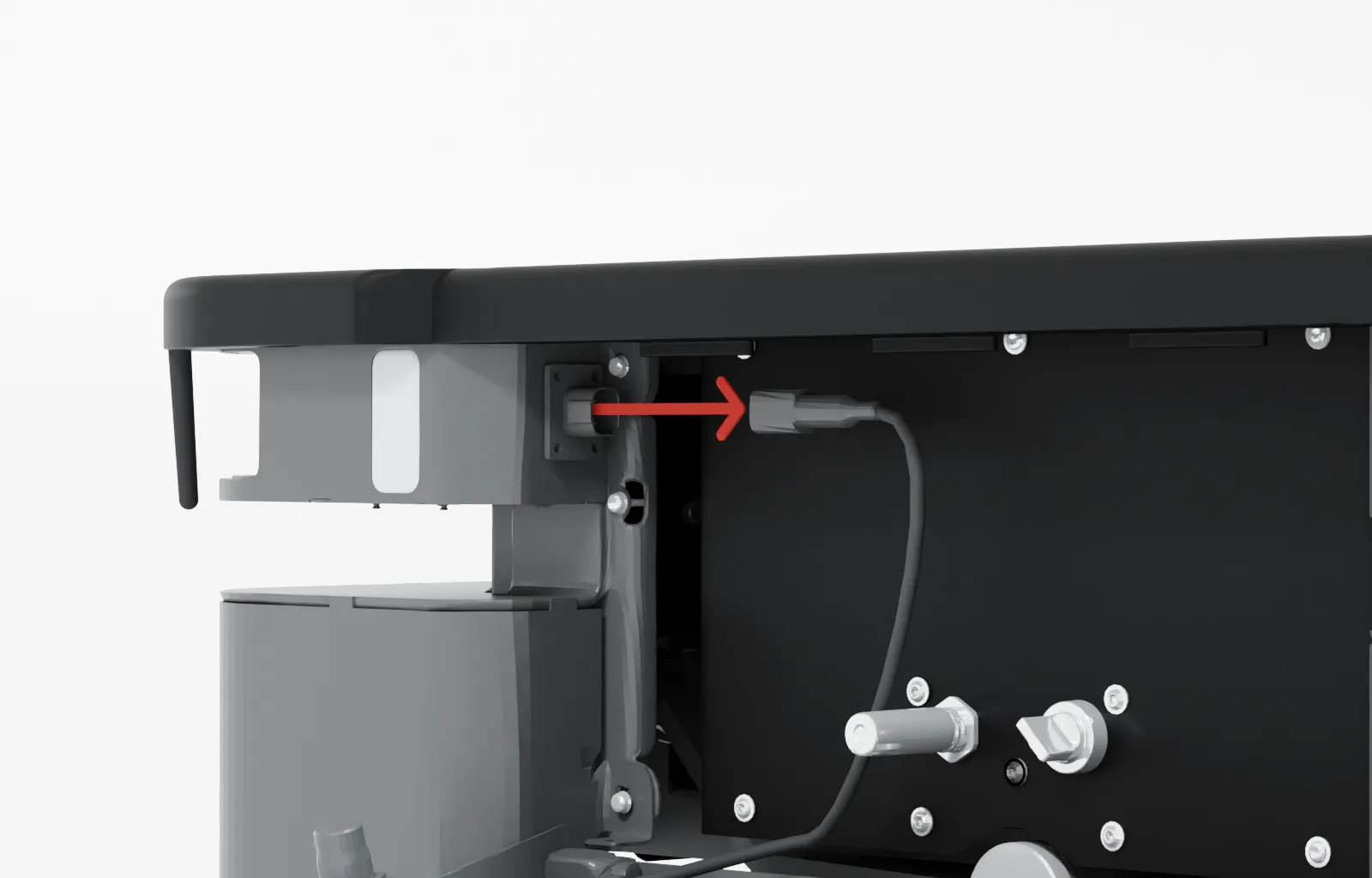
Turn the two hinges in the bottom corners to release the cover, and remove the cover from the robot.
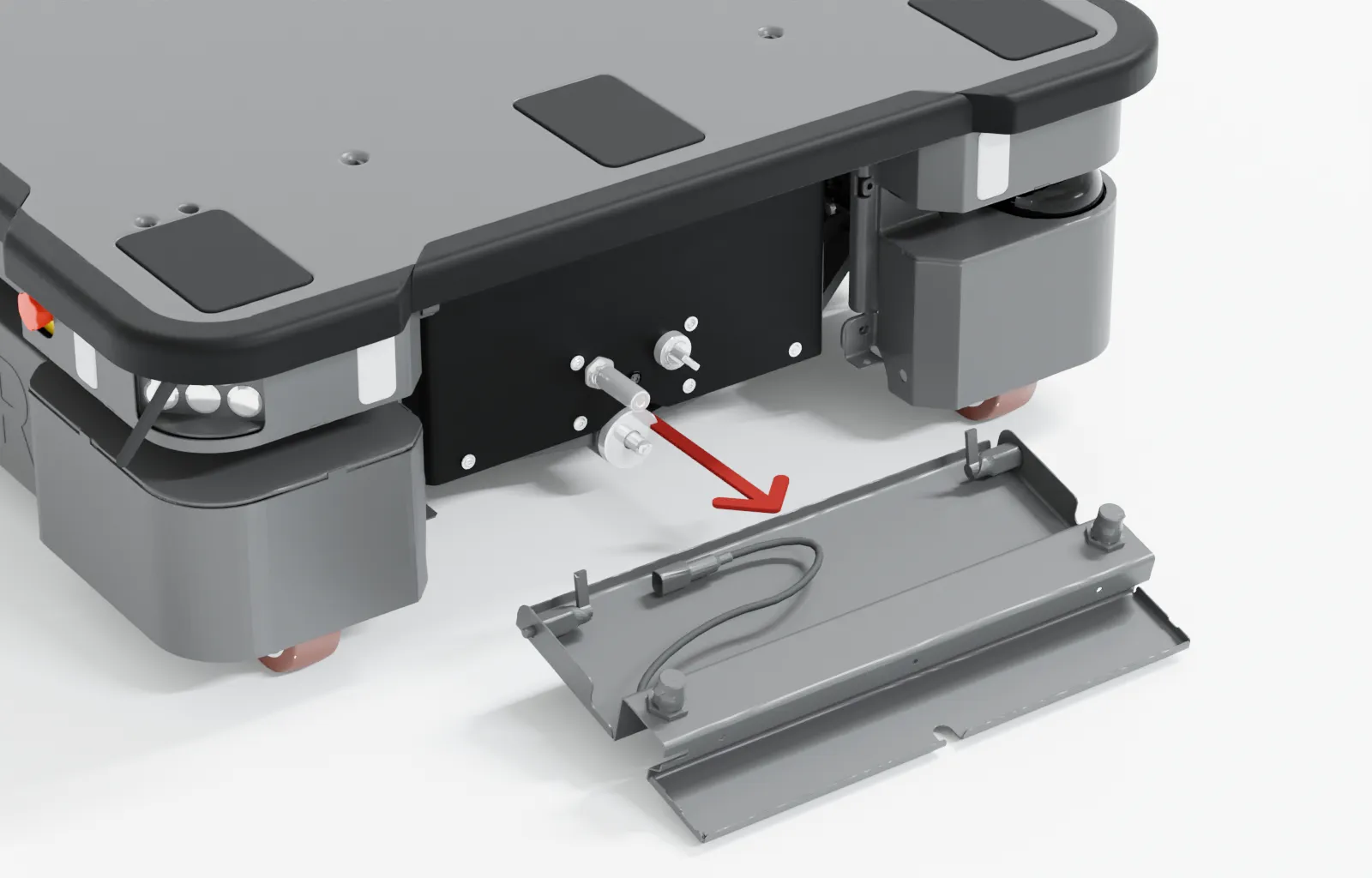
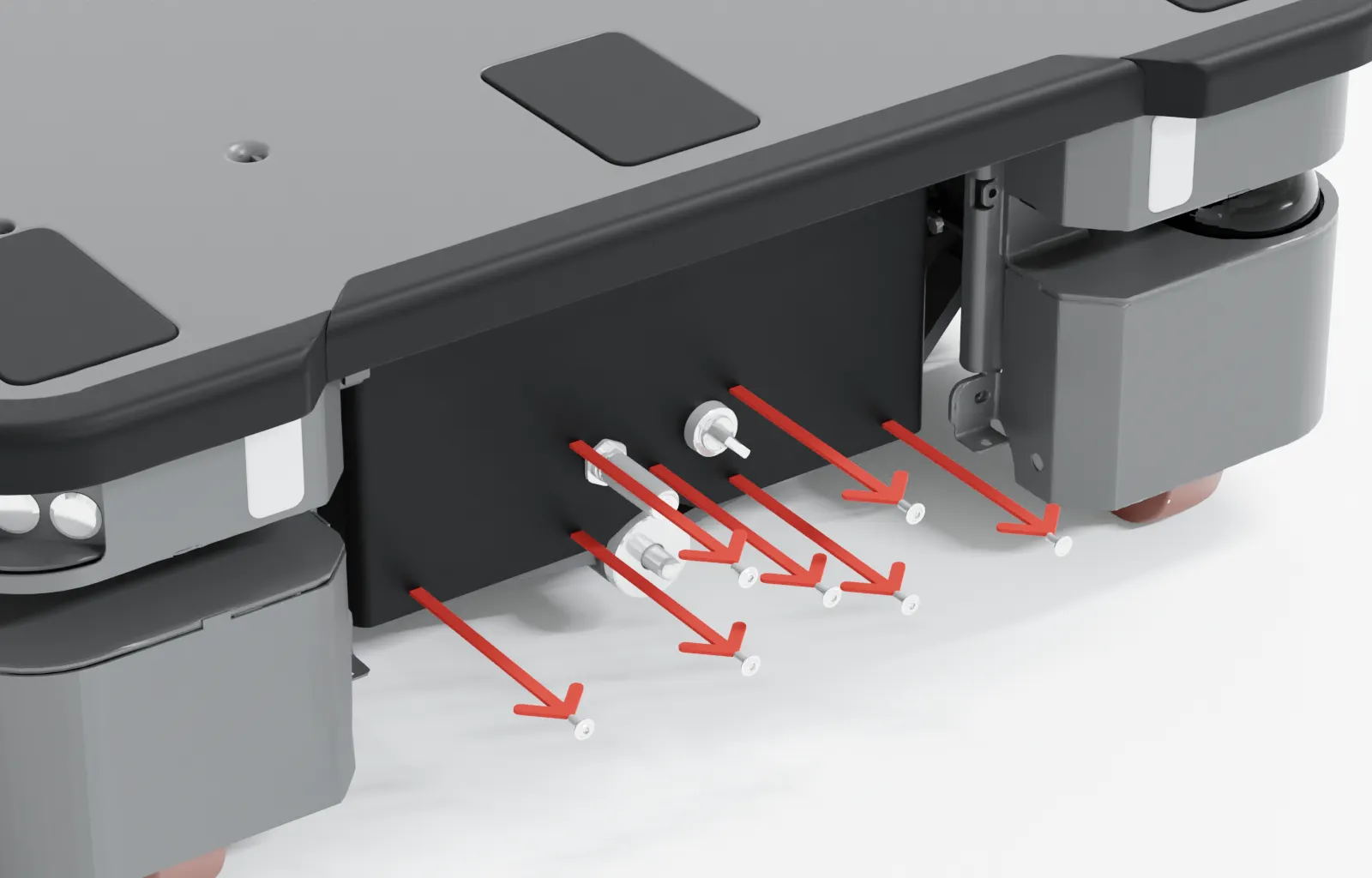
Remove the seven screws on the rear cover. Use a T25 bit.
Loosen the top three screws while holding the bottom of the cover. Use a T25 bit.
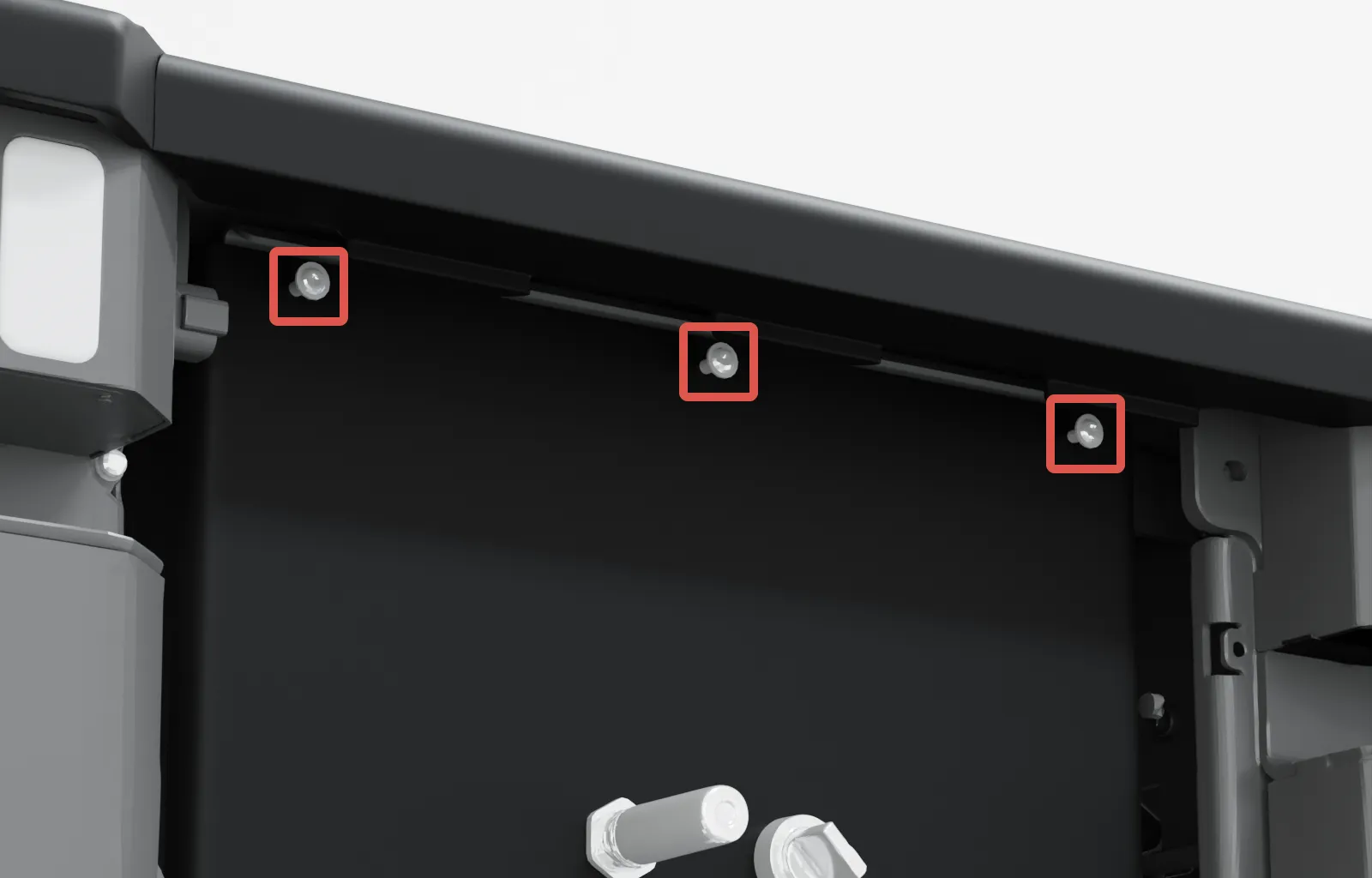
Remove the cover by sliding it downwards and out to access the rear maintenance compartment.
Accessing the side compartment
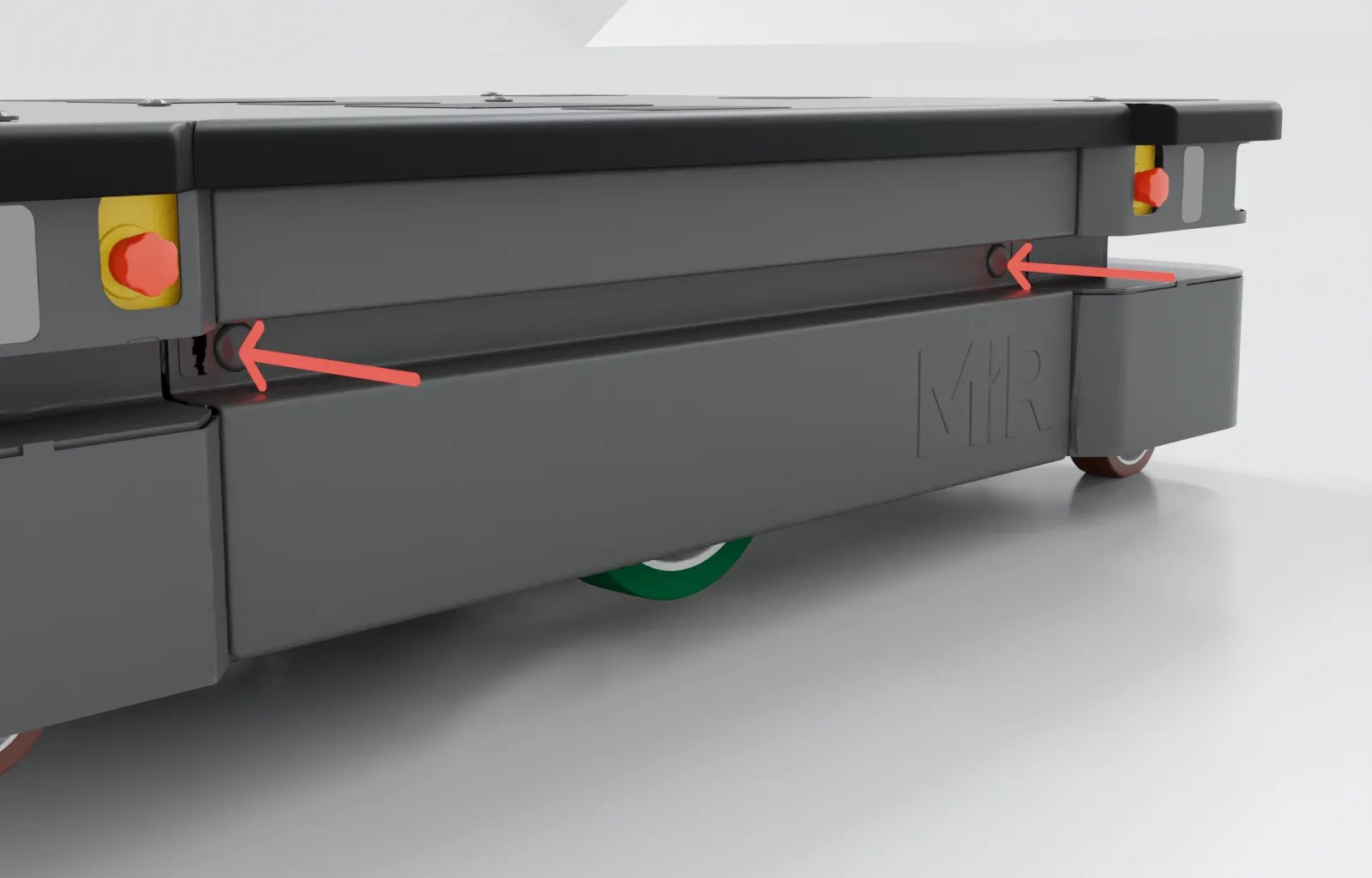
Press the two buttons on the side maintenance cover.
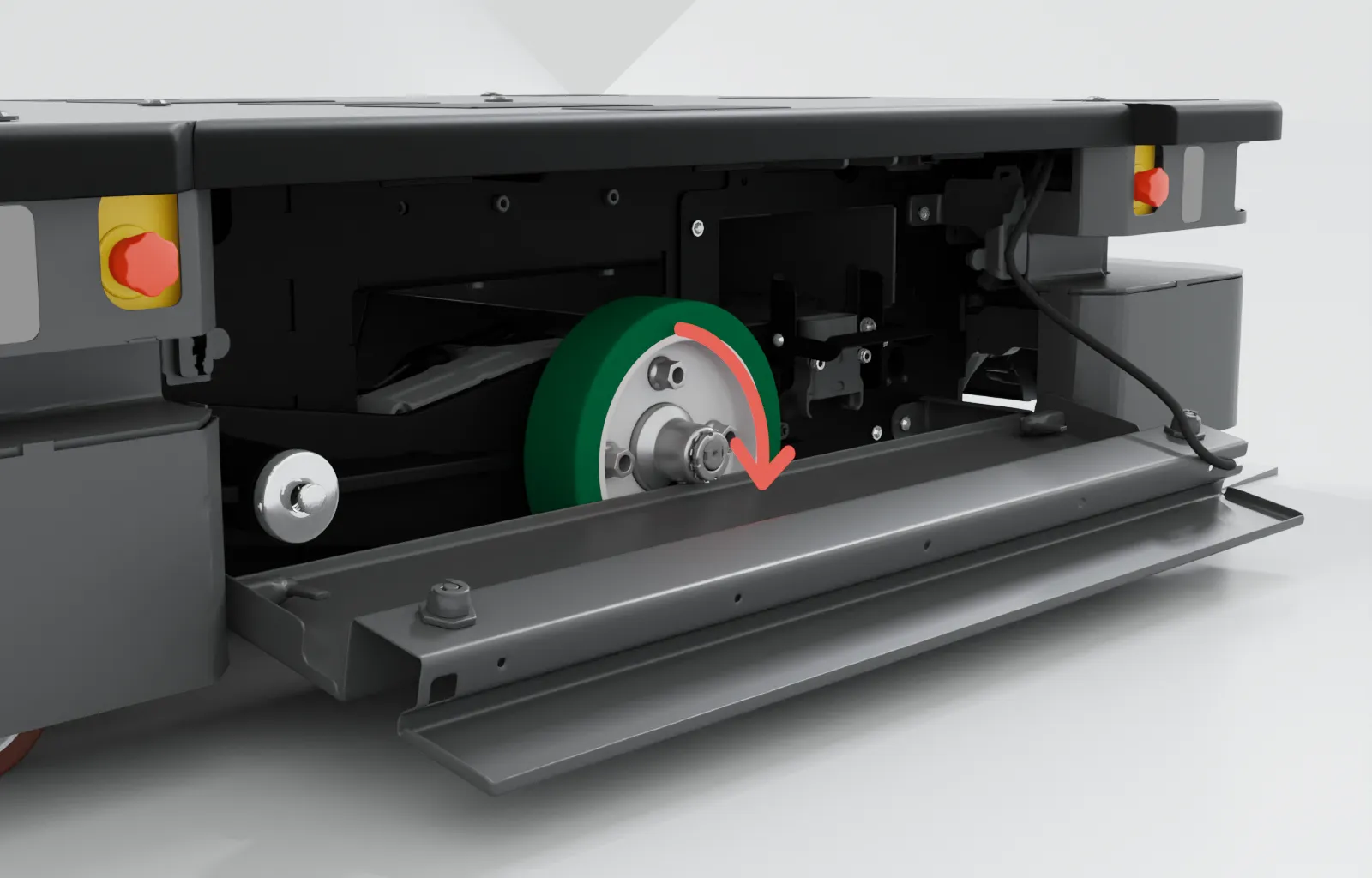
Pull open the cover.
Removing the corner covers
Remove the top plate. Unscrew the six M8 screws and four M10 screws in the top plate. Use a T45 bit for the M8 and a T50 bit for the M10 screws. Tighten all 10 screws to 11.6 Nm when reassembling the robot.
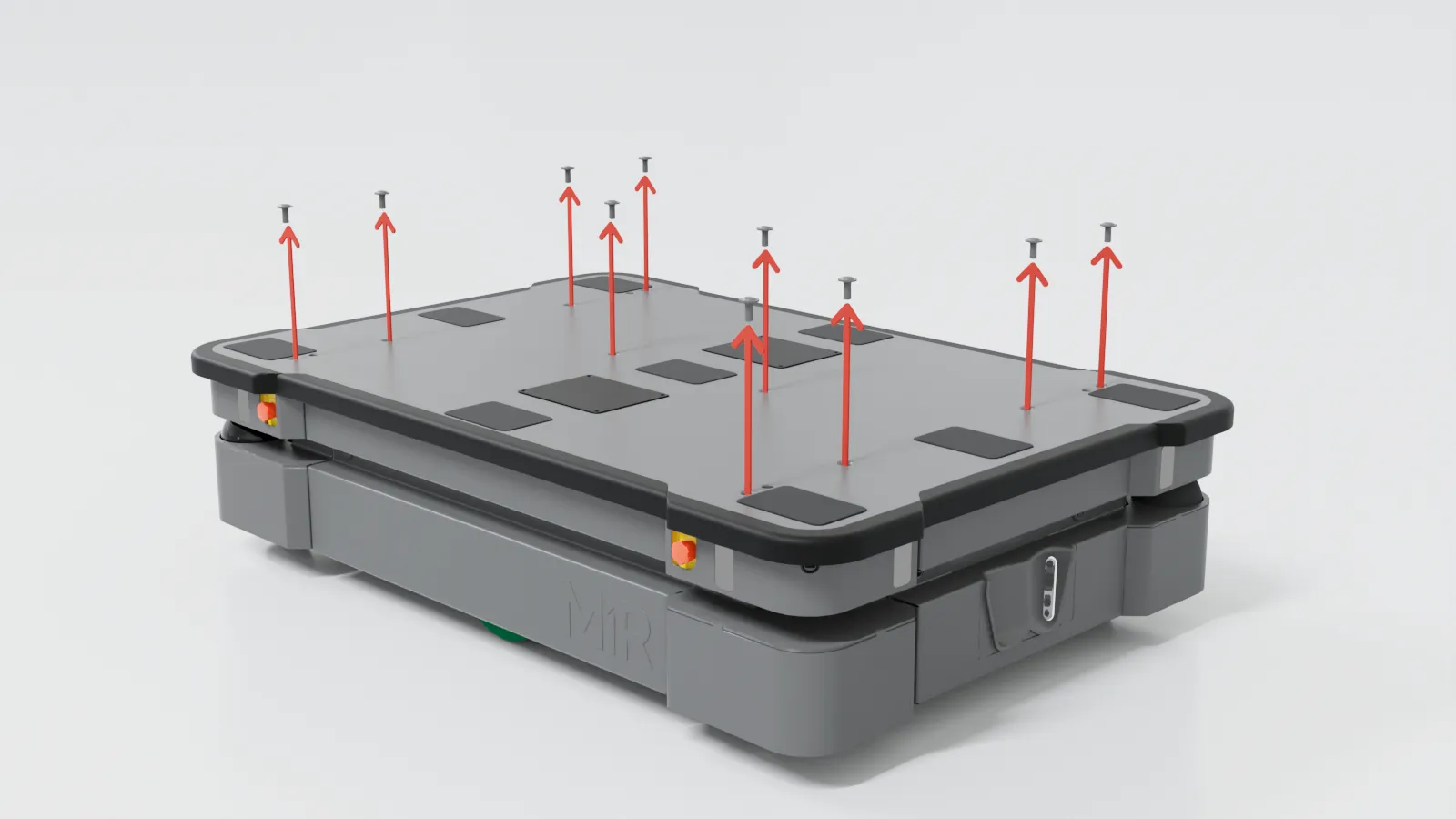
Remove the top plate from the robot. We recommend two persons lift the top plate.
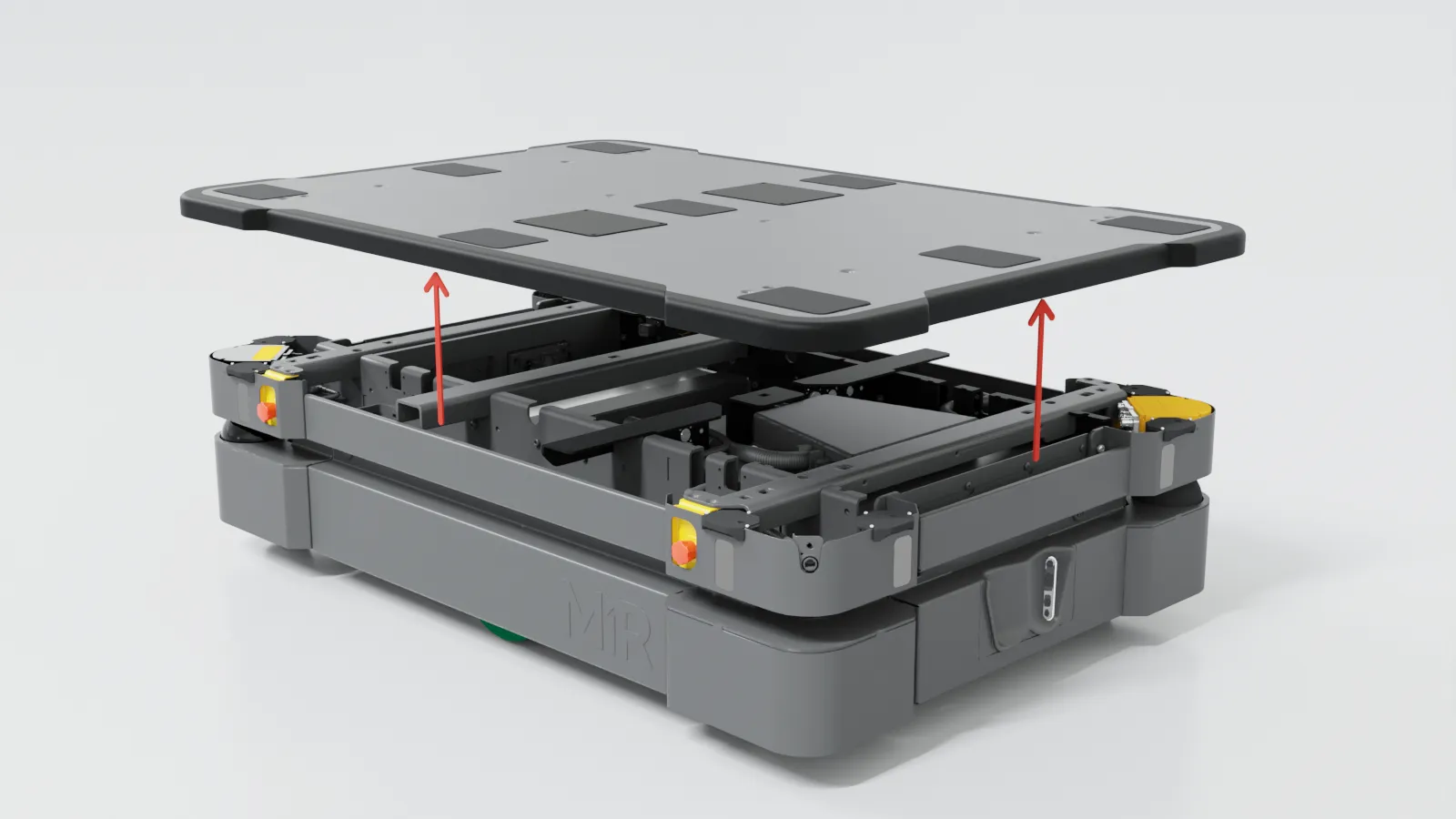
Press the Emergency stop button on the corner cover you are going to remove. After reassembling, remember to release the button again.
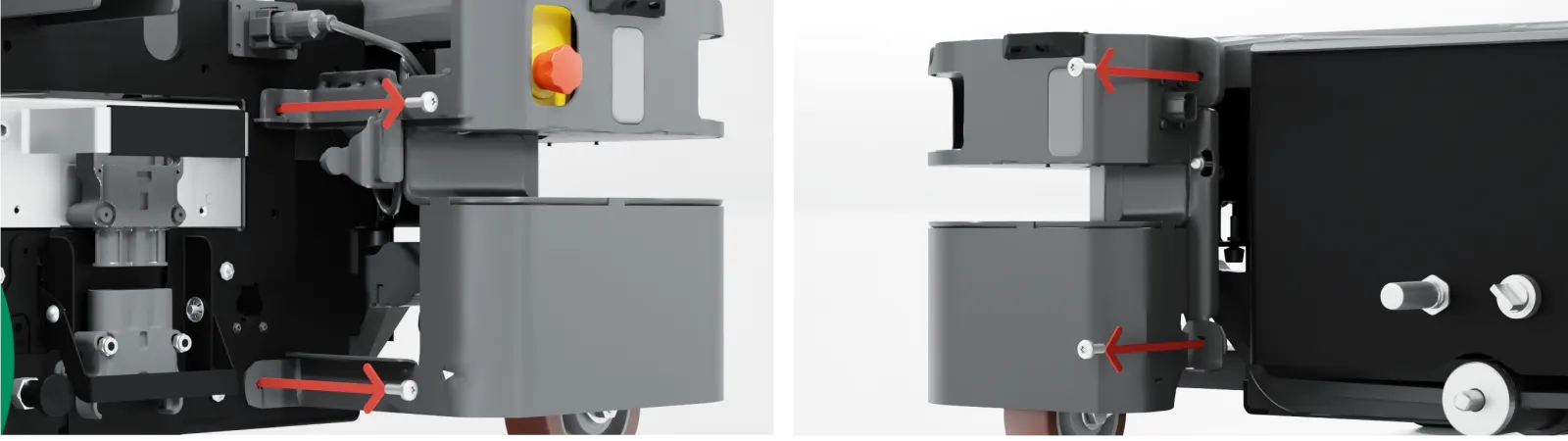
Remove the four screws from the corner cover. Use a T30 bit. When reattaching the corner covers, tighten the screws to 11.6 Nm.
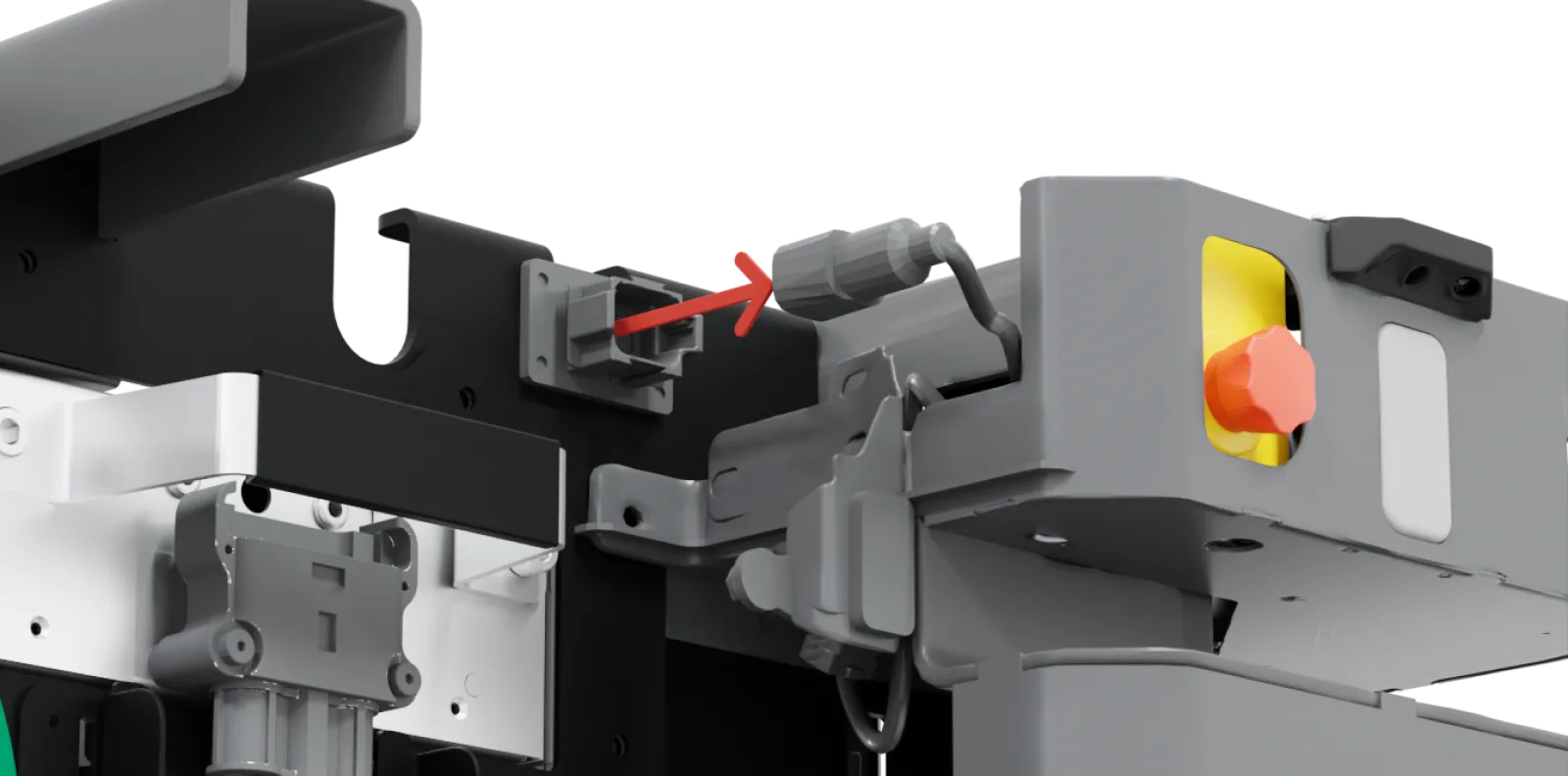
Disconnect the main proximity board cable harness connector within the side compartment end that is closest to the corner cover you are removing.
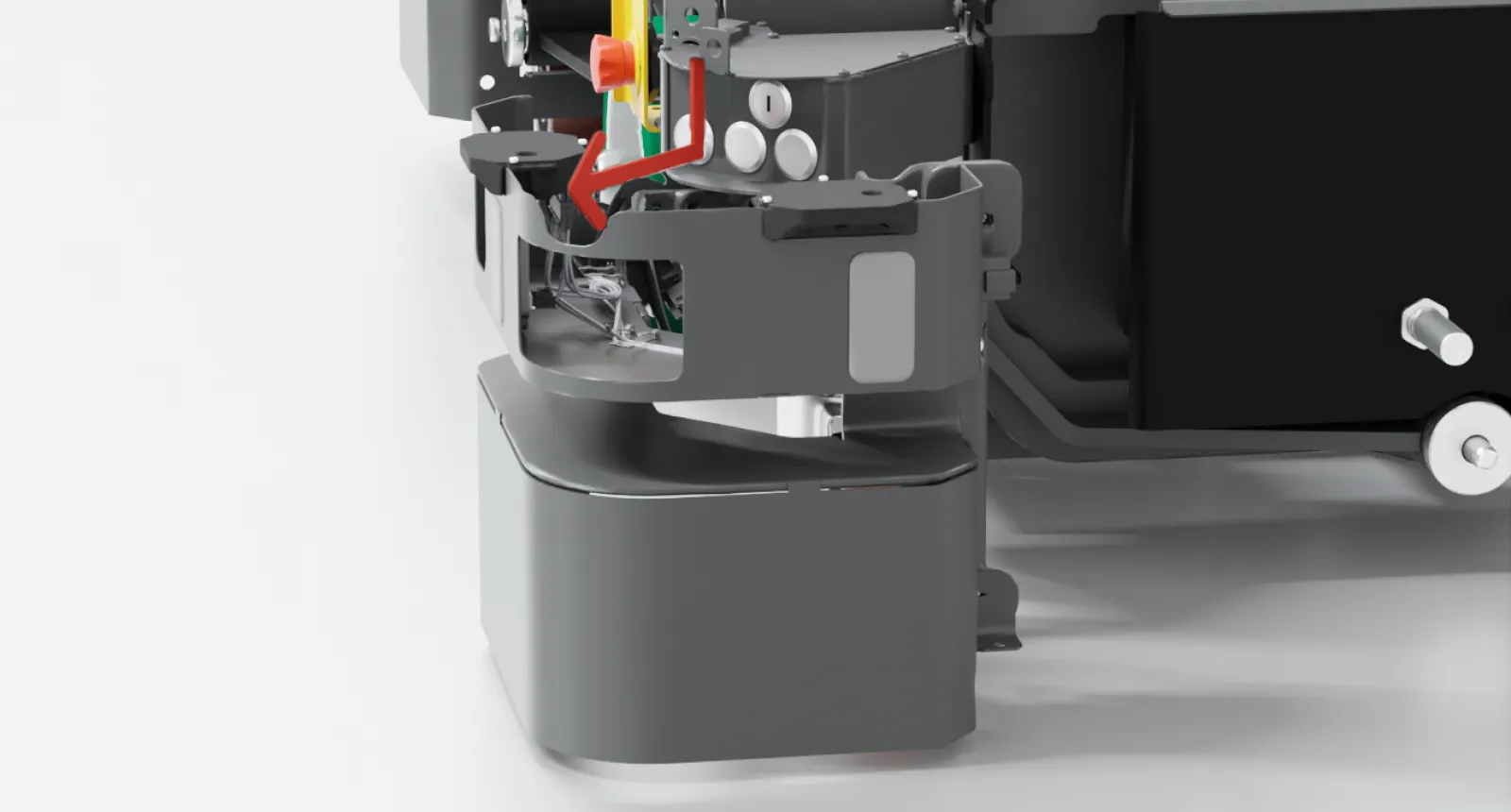
Remove the corner cover. It may require some force to disconnect the cover from the corner bumper.
Accessing the top compartments
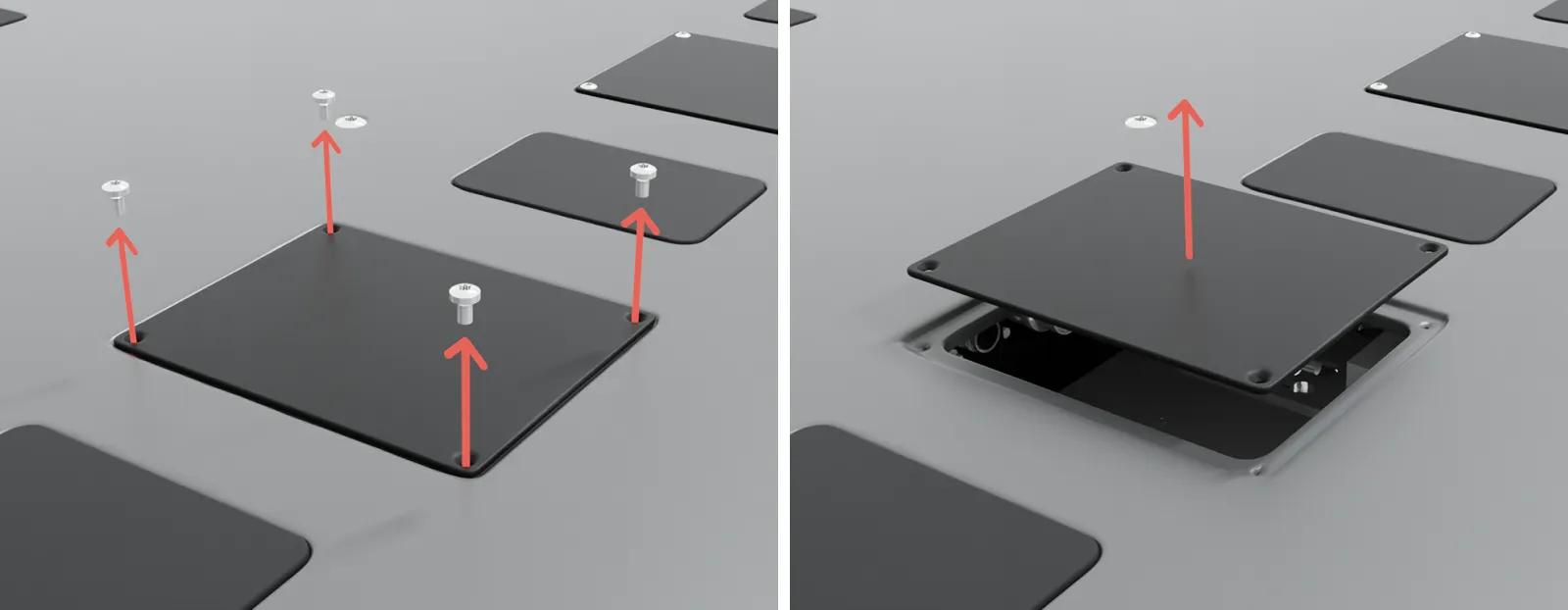
To open a top compartment, remove the four screws, and lift off the top compartment cover. Use a T20 bit.