Fast swap
To be able to remove the battery without taking off the top plate of the robot, you must connect a set of levers to the battery connector lever. This is known as enabling the fast swap-option. You only need to do this once, and it is only relevant if you need to remove the battery regularly.
To enable the fast swap-option on the robot, follow these steps:
Disconnect the battery power supply—see Power connection.
Unscrew the two small screws mounting the status light bracket to the battery plate. Use a T20 bit.
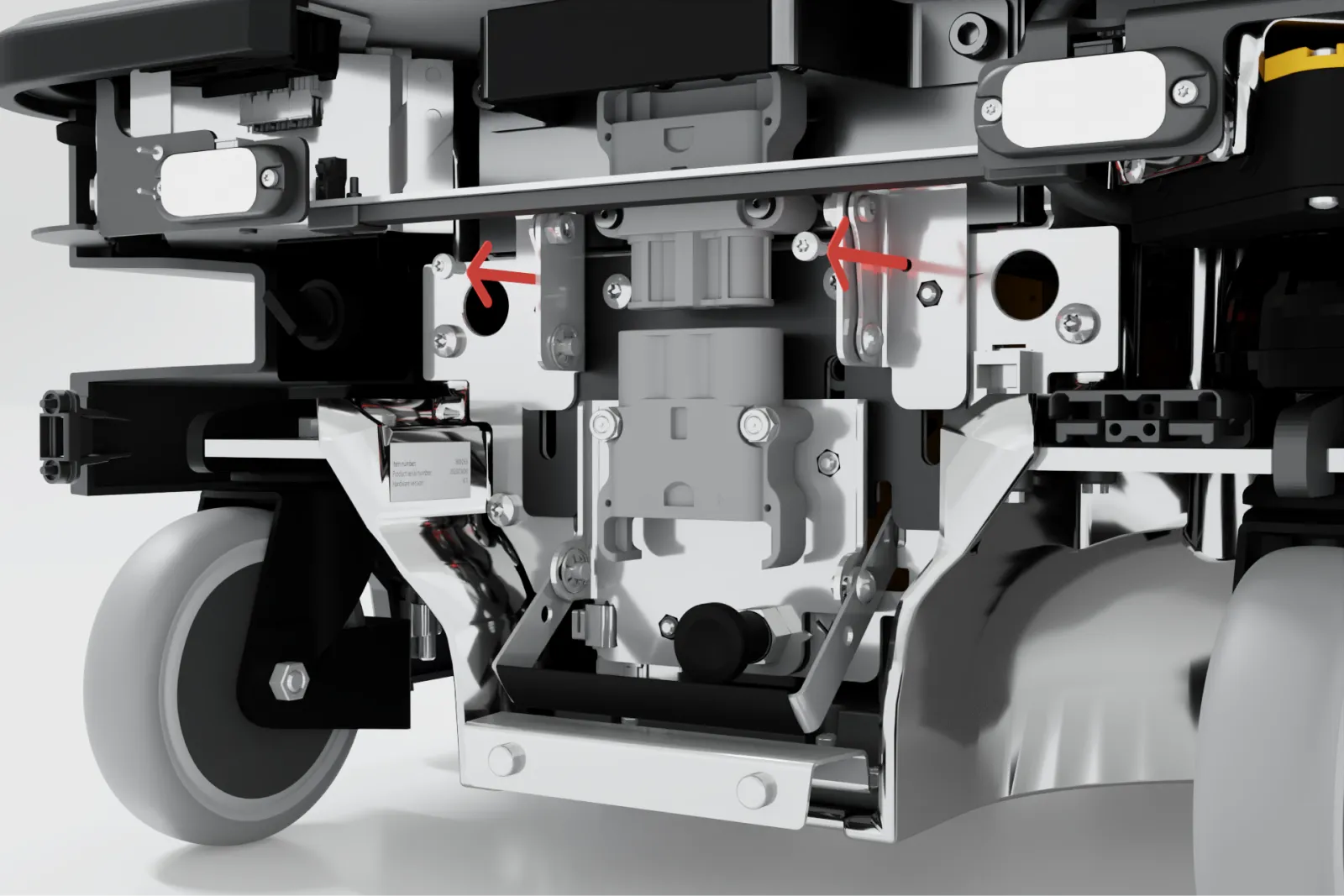
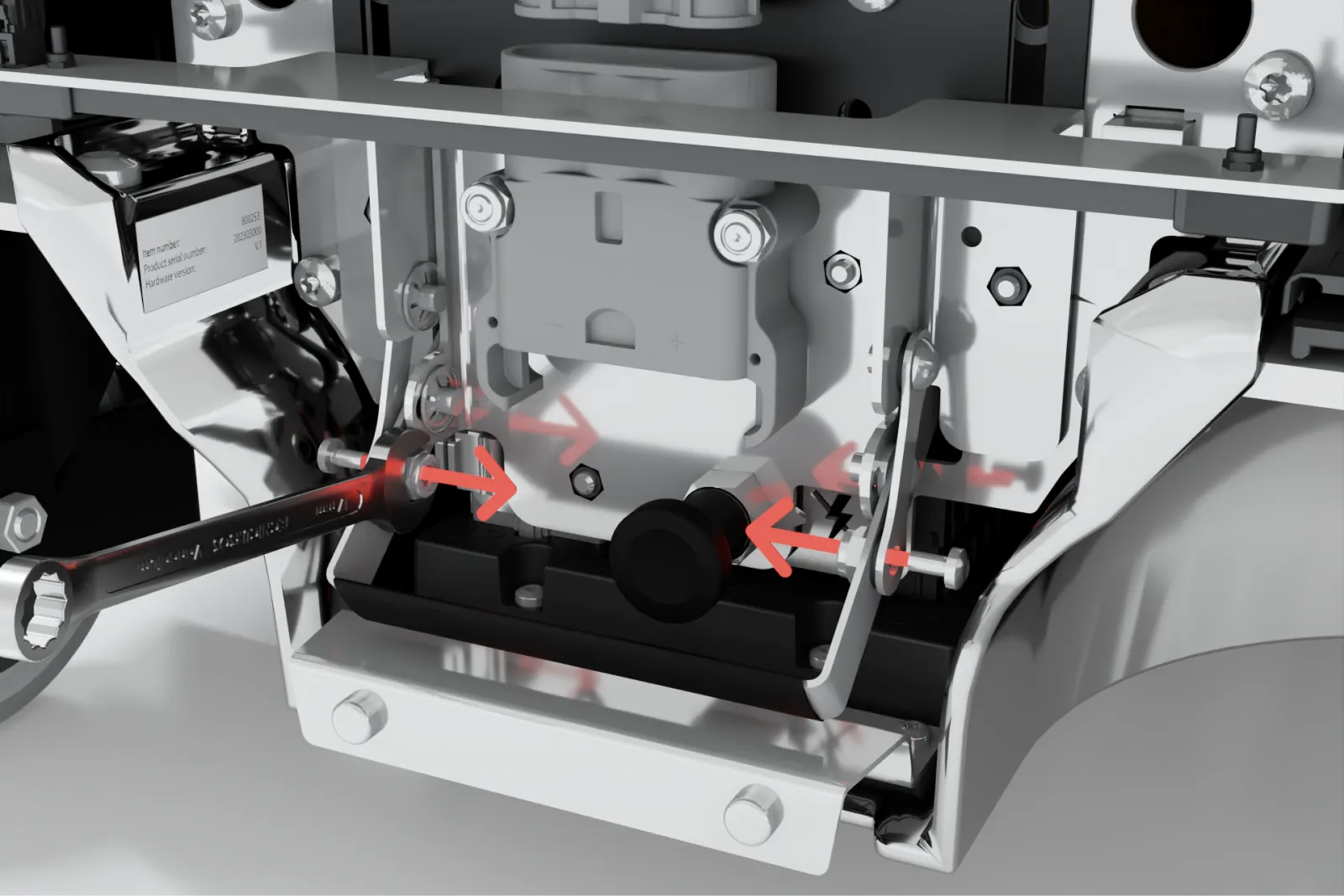
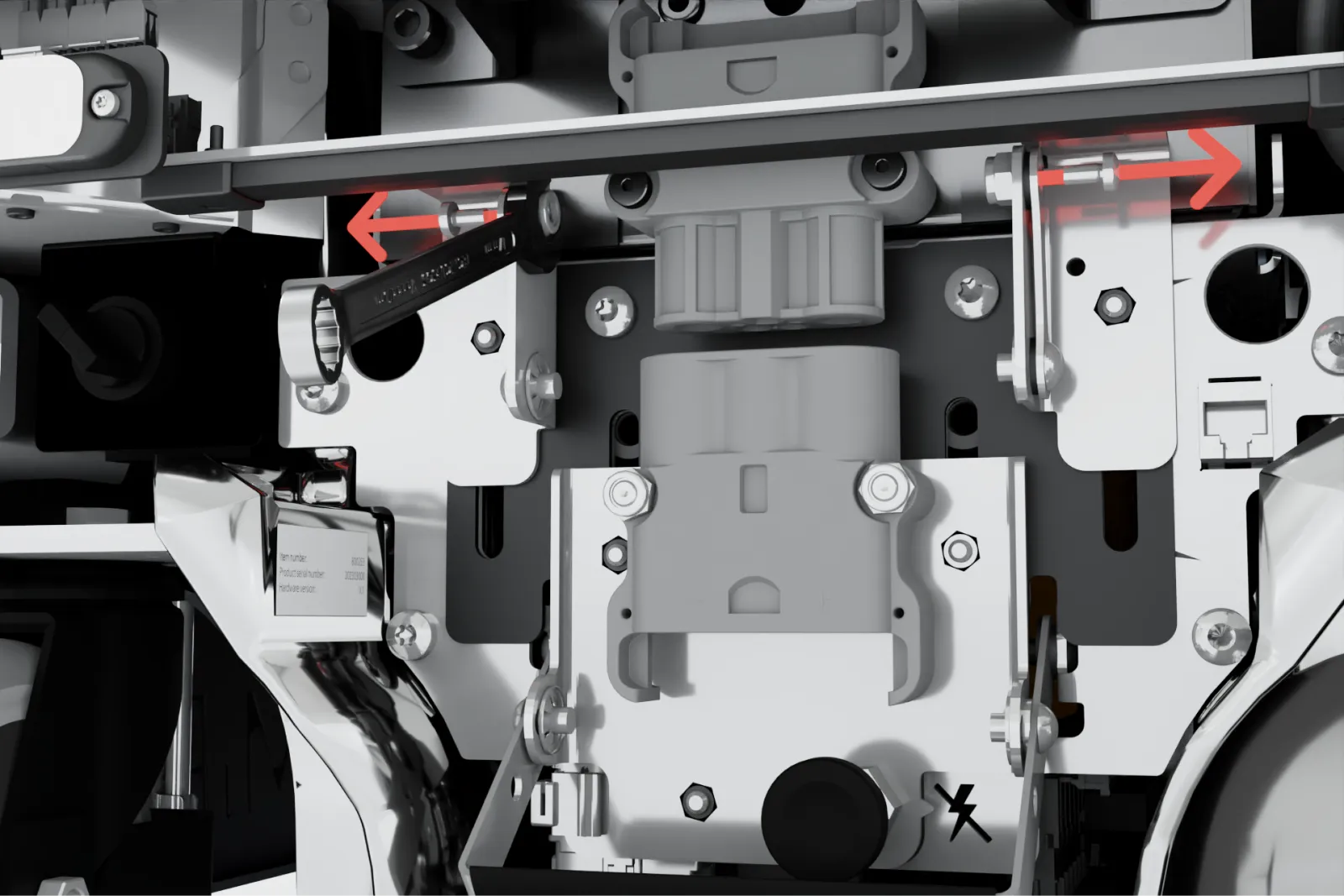
Unscrew the two bolts and washers keeping the fast swap levers raised. Use a 10 mm hex bit for the bolts and a 10 mm hex wrench to keep the nuts in place.
Pull the status light bracket down.
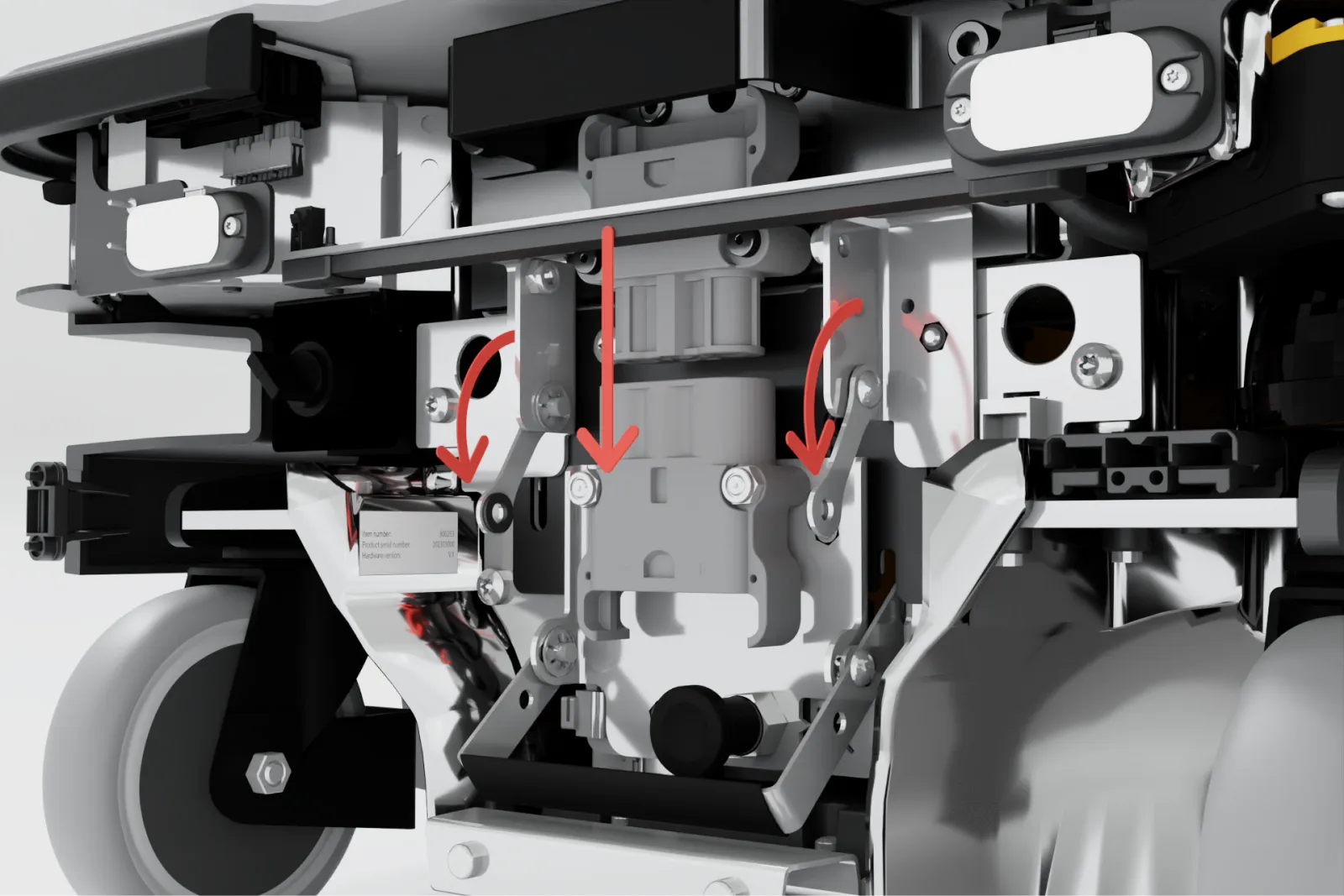
Fasten the two levers to the battery lever using the same two bolts, washers, and nuts.